
Stop training a new AI every morning. Onboard Claude.
Every chat starts from zero. This course is the setup that ends that. I have spent three years building AI into businesses that drive millions of dollars a month, and this is that work sized for one owner: one sitting, no code, and Claude Cowork comes out of it working like an employee you already trained.
Join the communityIt is free to join, and the setup course is inside.
Here is what happens right now
Every new chat opens with you typing in the same background you typed in last week. Here are the four ways that shows up.
You explain the business every single time
It has never heard of your customers or your prices.
You get a template instead of a reply
You ask for one email and it hands you three versions with blanks to fill in.
It does not sound like you
The opener is stiff and the sign-off is a placeholder.
It forgets what you corrected
You fix something on Tuesday. On Thursday, in a new chat, it makes the same mistake.

Give it what a trained employee has
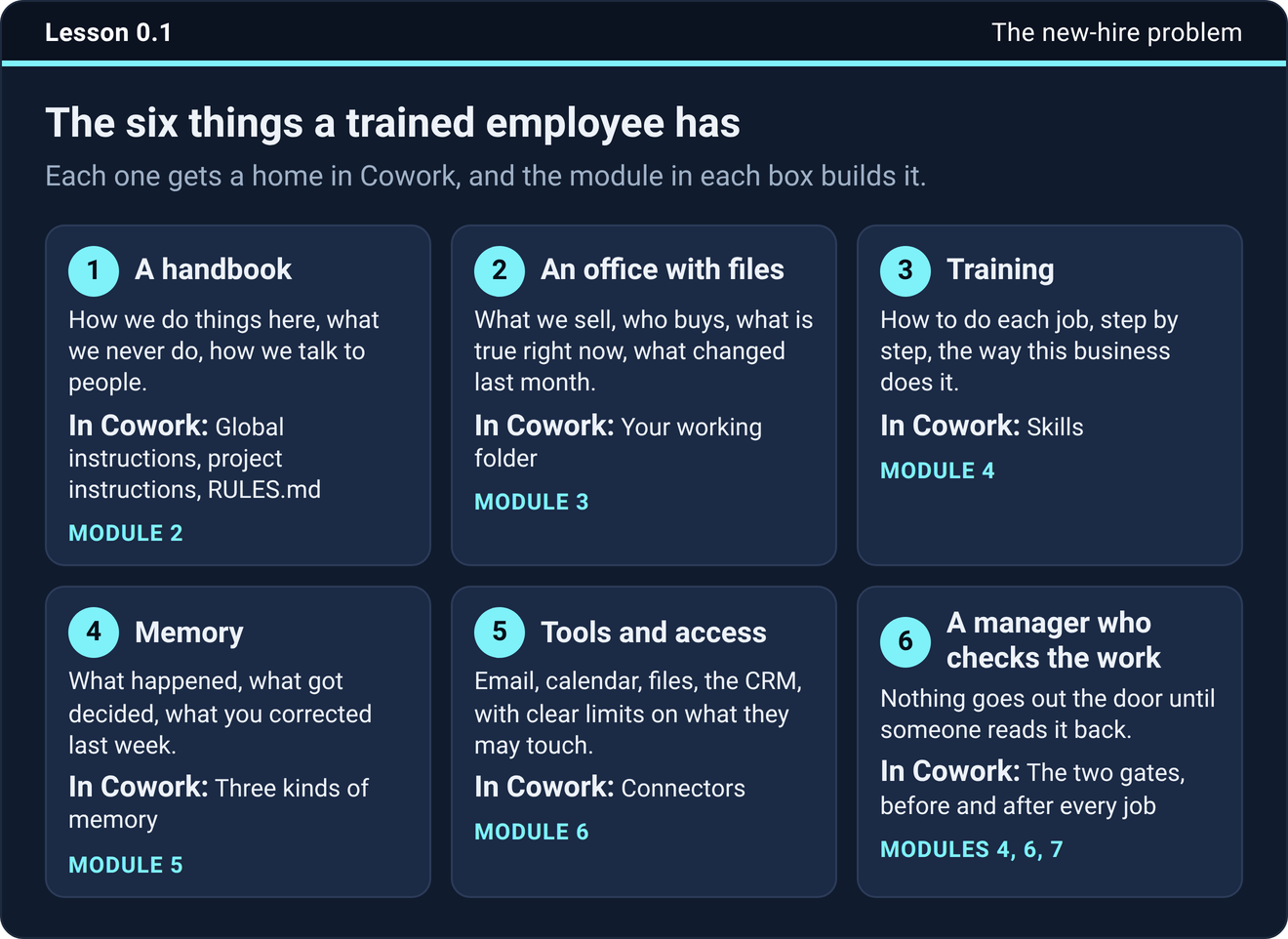
A good hire gets six things on day one. The course gives each one a home inside Cowork. Each window is what that thing looks like inside a finished setup.
A handbook
In Cowork this is your instructions and RULES.md.An office with files
In Cowork this is your working folder.Training
In Cowork these are skills.Memory
In Cowork this is the three kinds of memory.Tools and access
In Cowork these are connectors and approvals.A manager who checks the work
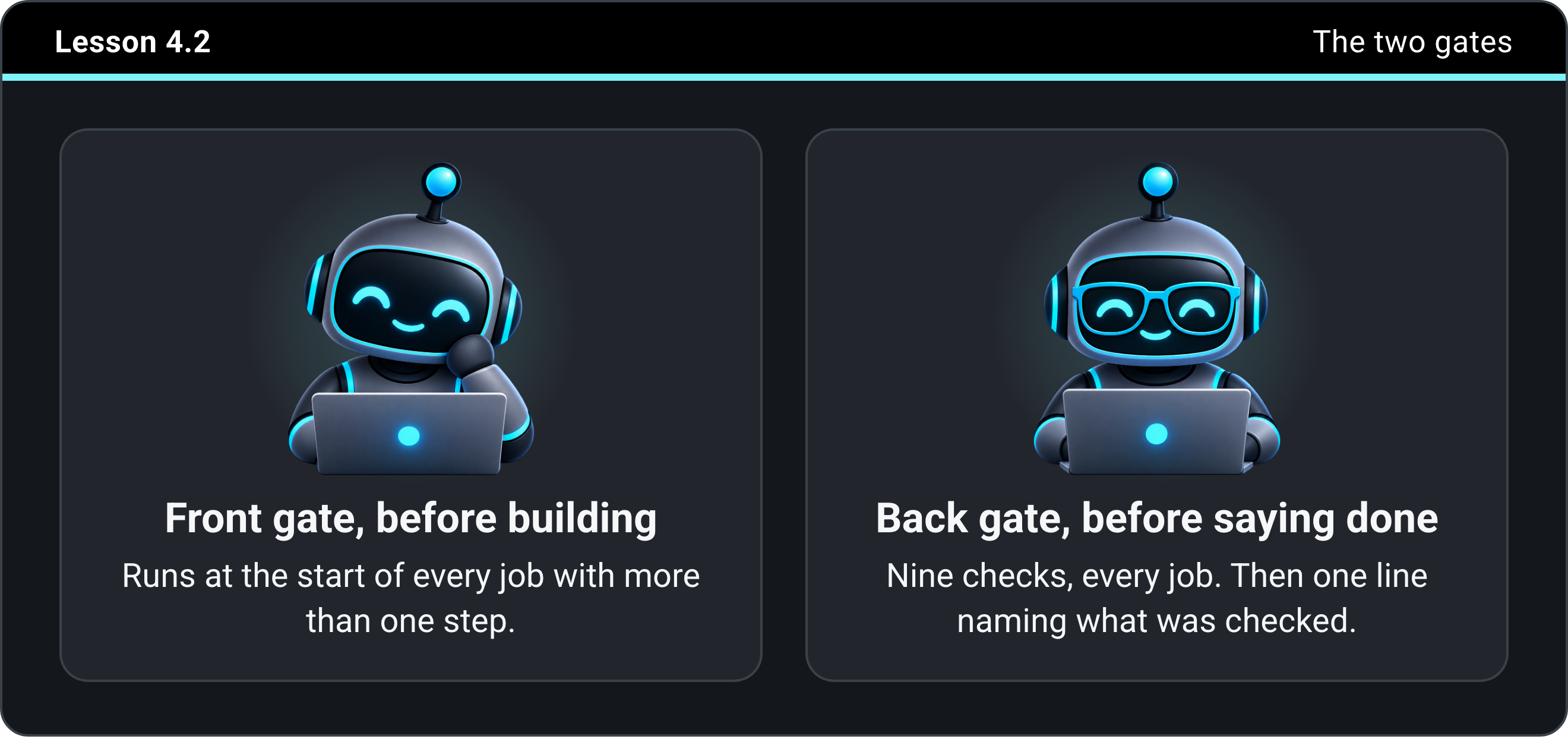
In Cowork these are the two gates.The work it hands back
This is what a finished setup puts on your desk. Four real screenshots from the test business: every one is a draft waiting for your read, nothing was sent, and every missing fact says TODO instead of a guess.
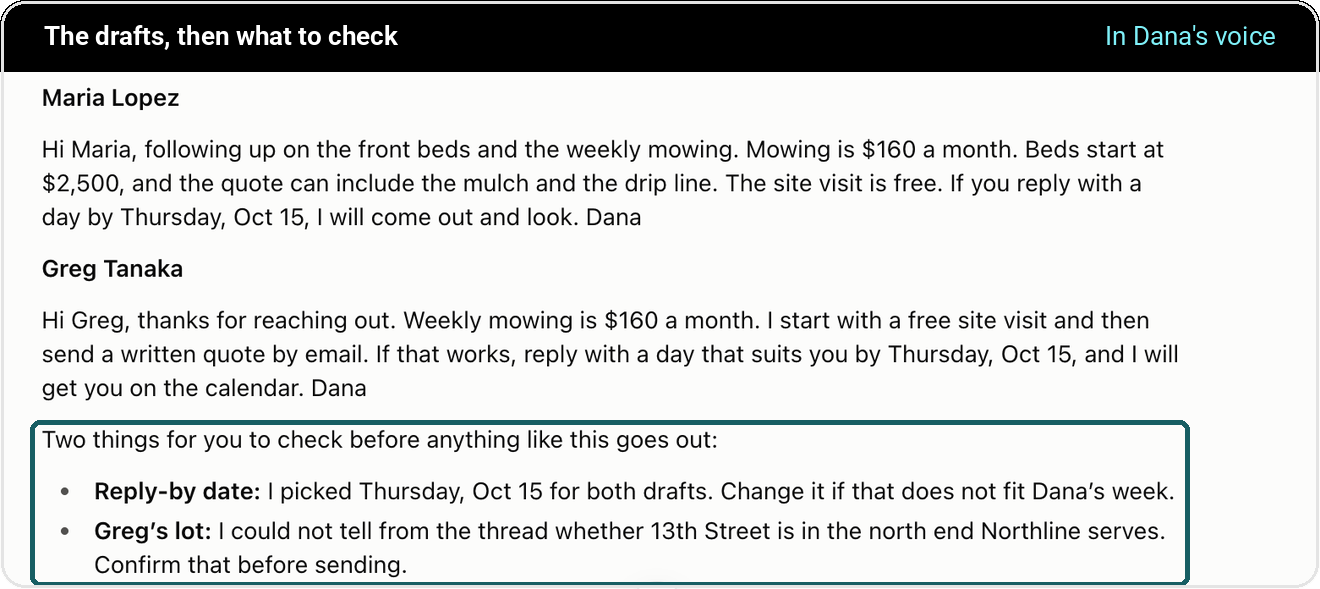
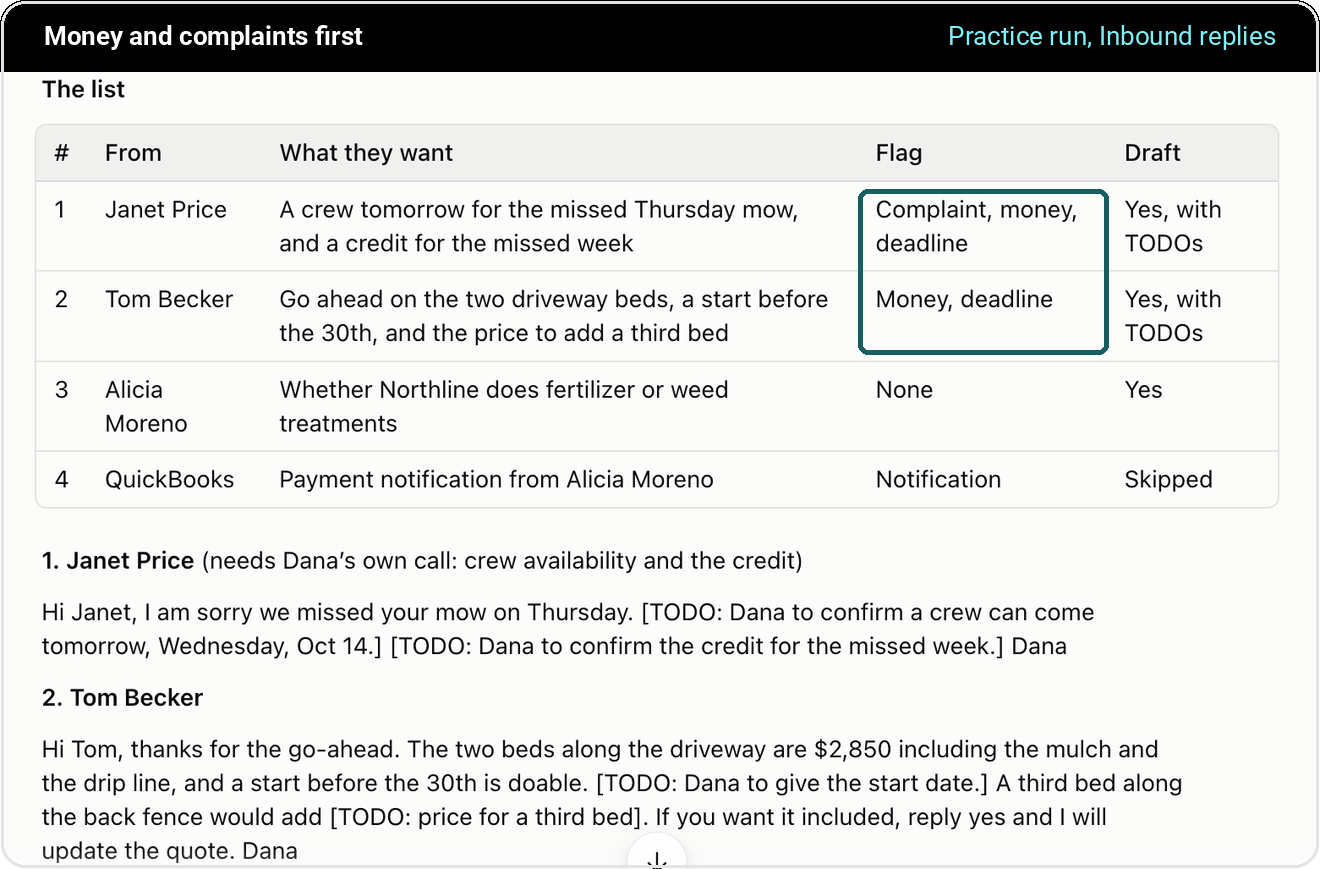
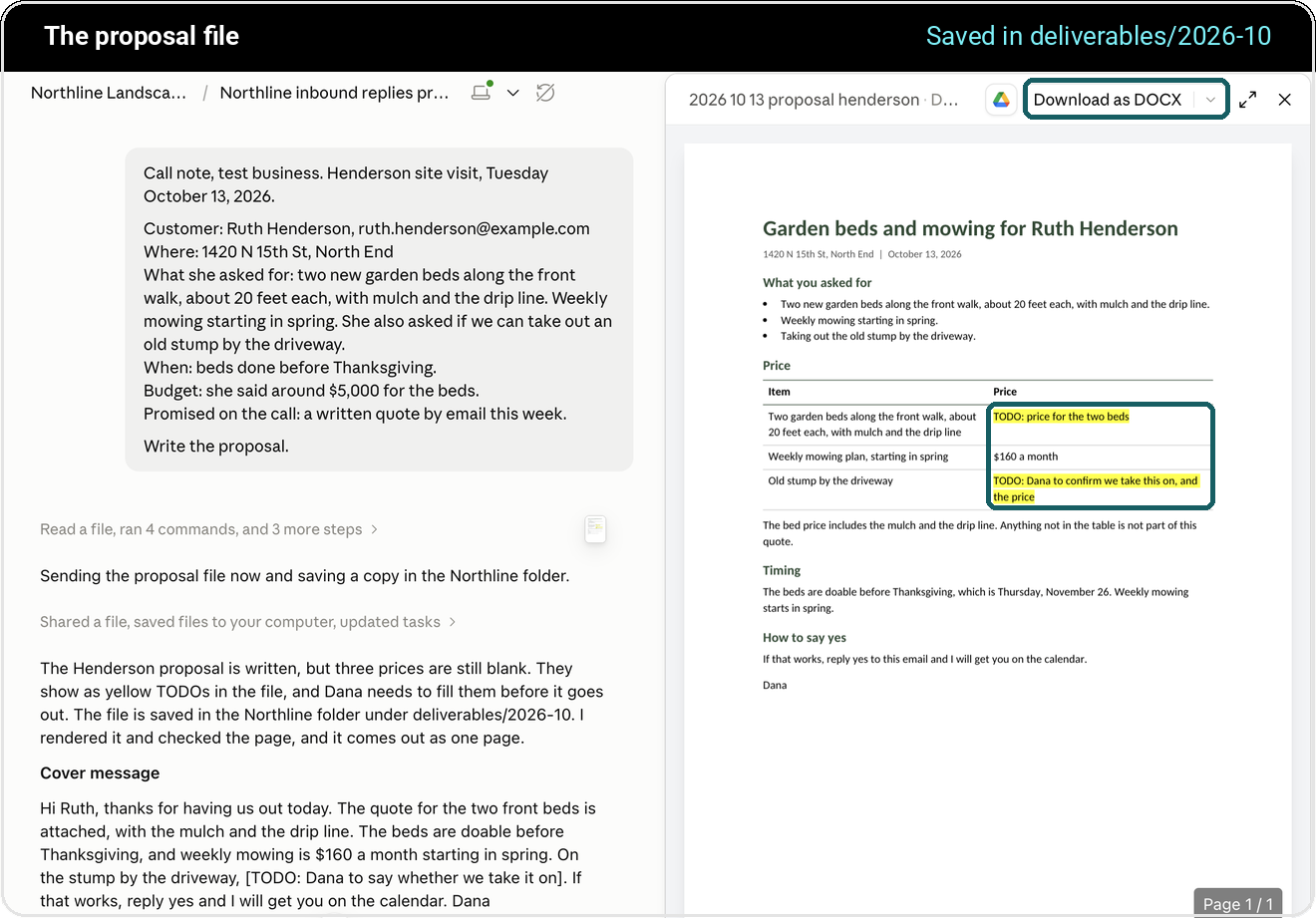
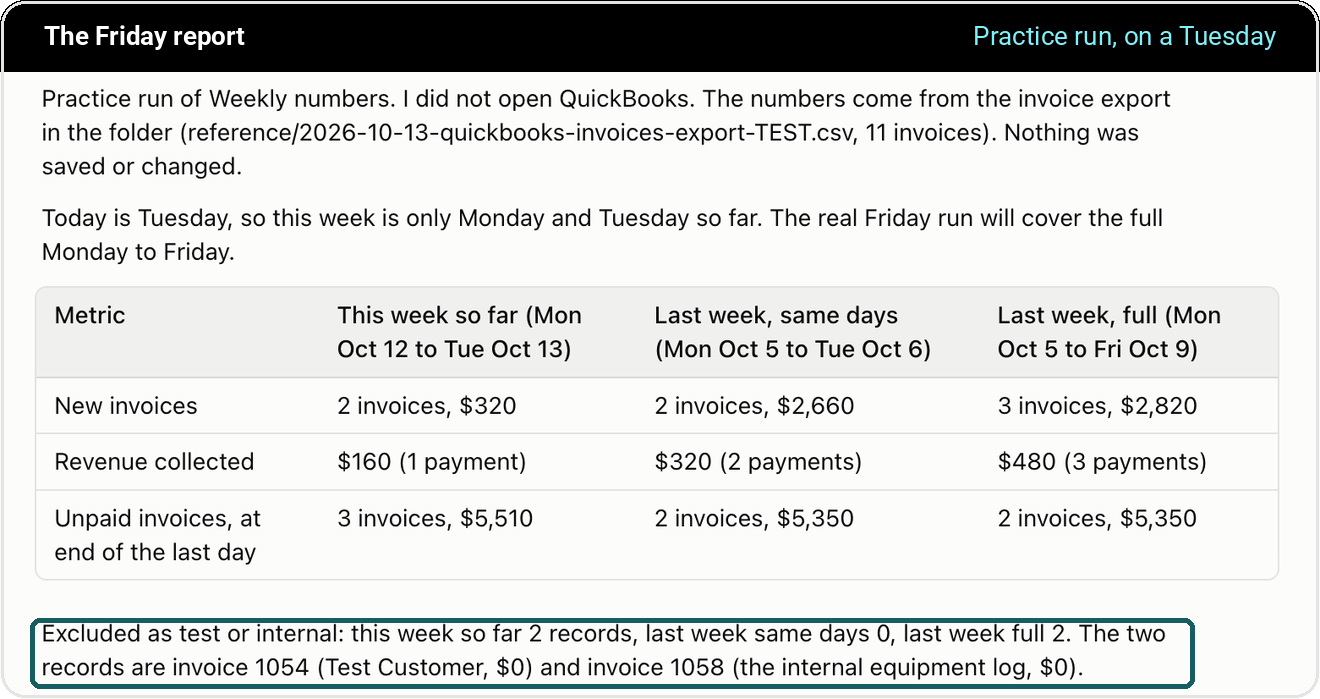
All four came from practice runs on Northline Landscaping, the made-up business we built for the course. They are not customer results.
Then hand it the jobs. Four agents come ready.
An agent is one job handed to Claude for good: it runs on a schedule, drafts in your voice, and sends nothing without your click. Four come with the course, and you see all of them on one screen inside your own Claude.
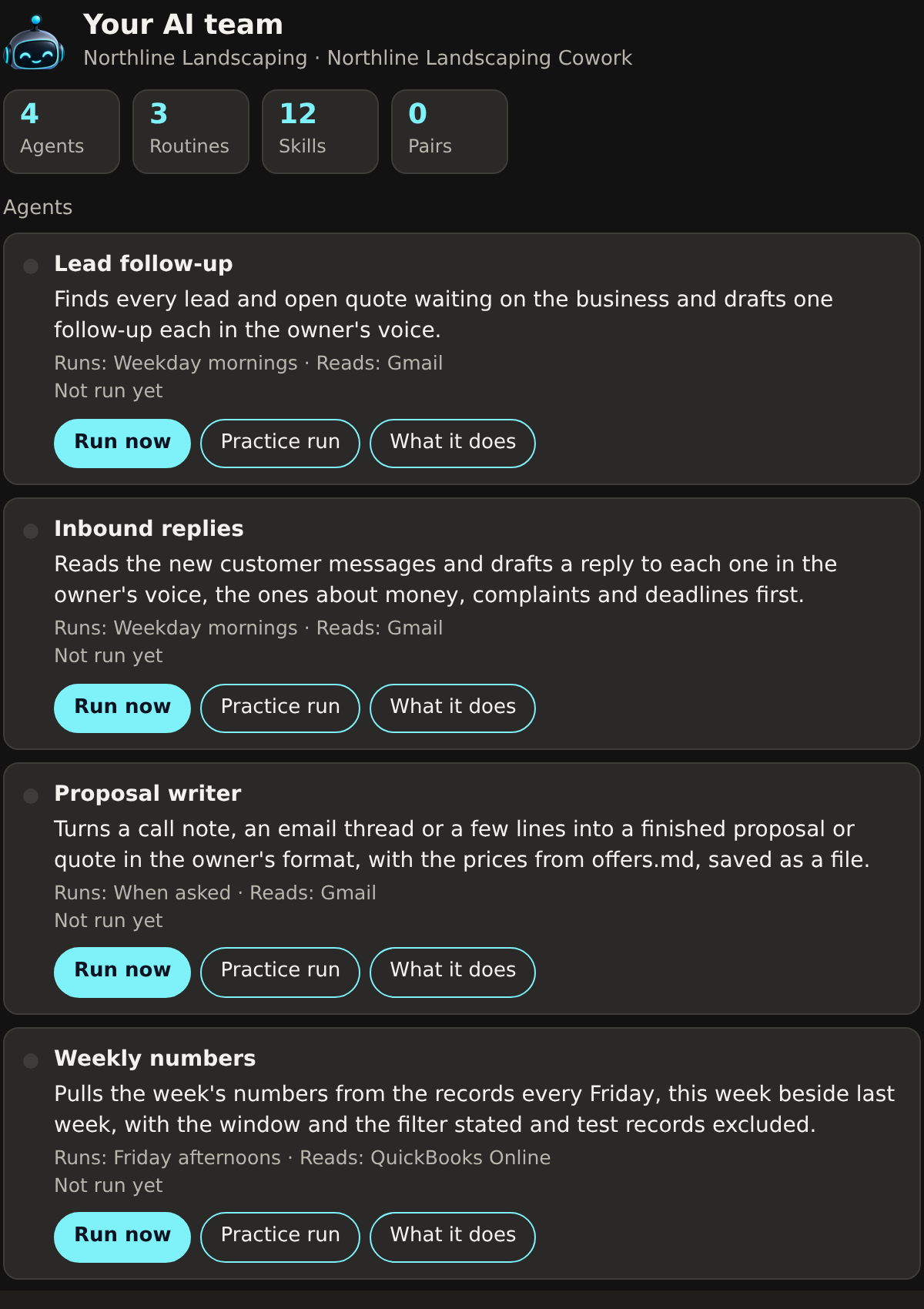
Lead follow-up
Weekday morningsFinds every lead and open quote waiting on you and drafts one follow-up each, in your voice, money and deadlines first.
Inbound replies
Weekday morningsReads the new customer messages and drafts a reply to each one, with TODO where a fact is missing instead of a guess.
Proposal writer
When you askTurns a call note or an email thread into a finished quote in your format, with the prices from your offers file, saved as a file.
Weekly numbers
FridaysPulls the week's numbers from the records, this week beside last week, window and filter stated, test records left out.
How the setup happens
You do not write any code. You install the plugin, answer its questions, and it builds the folder, the rule files, and the skills for you. Then you install the agents.

Set up the app
Install the Claude desktop app, make one folder, and connect one tool you use every day.
About ten minutesInstall the plugin
One file, uploaded once. It asks you thirteen questions as tap cards, one at a time, and then it builds your setup.
Ten to fifteen minutesRun your first job
Hand it one real task from your own week and read what comes back.
You see the difference in about five minutesWhat you get to keep
Everything you build stays on your own computer as files you can open.

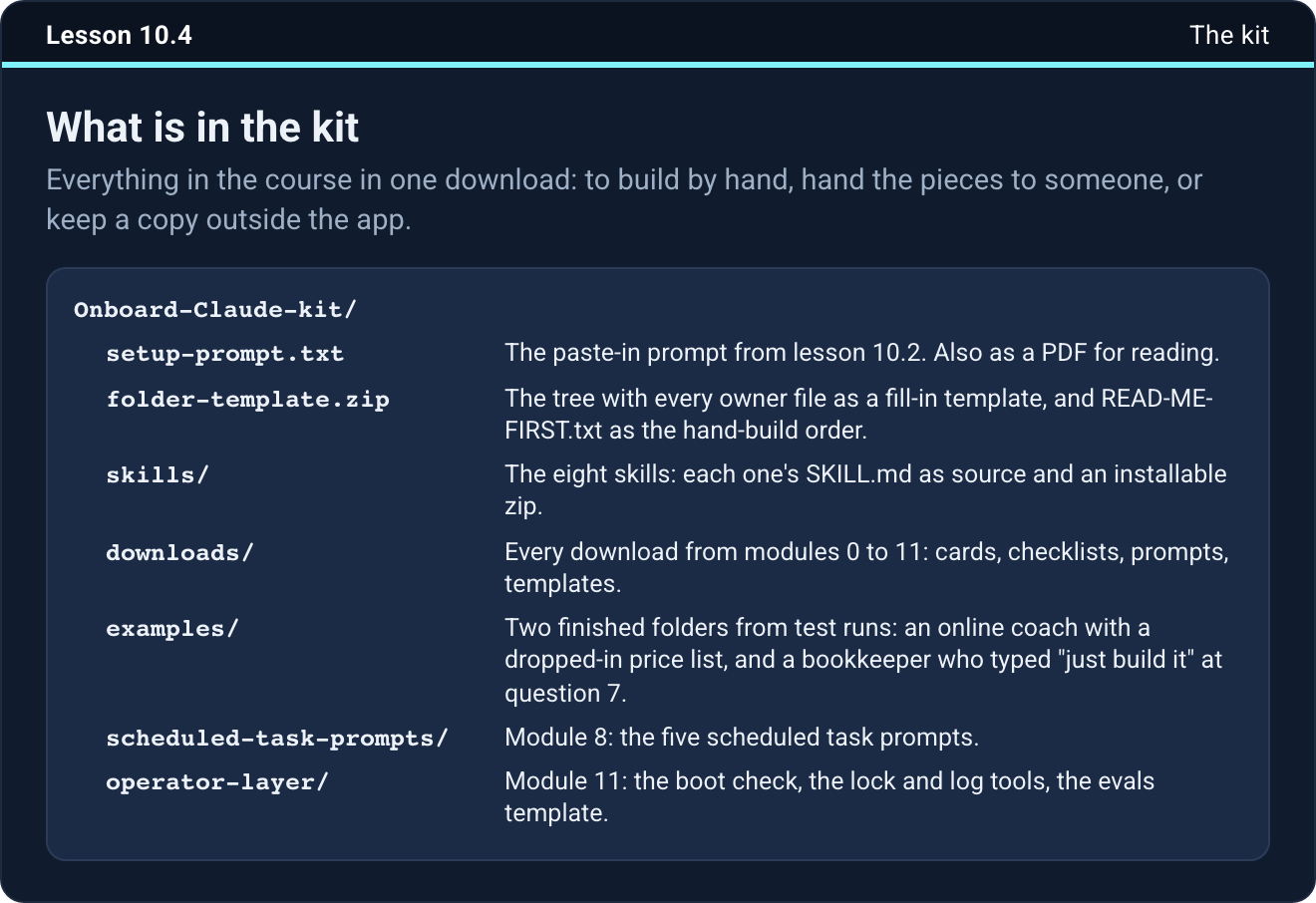
onboard-claude.pluginsetup-prompt.txtfolder-template.zipskills/Onboard-Claude-kit.zipscheduled-task-prompts/examples/Look inside
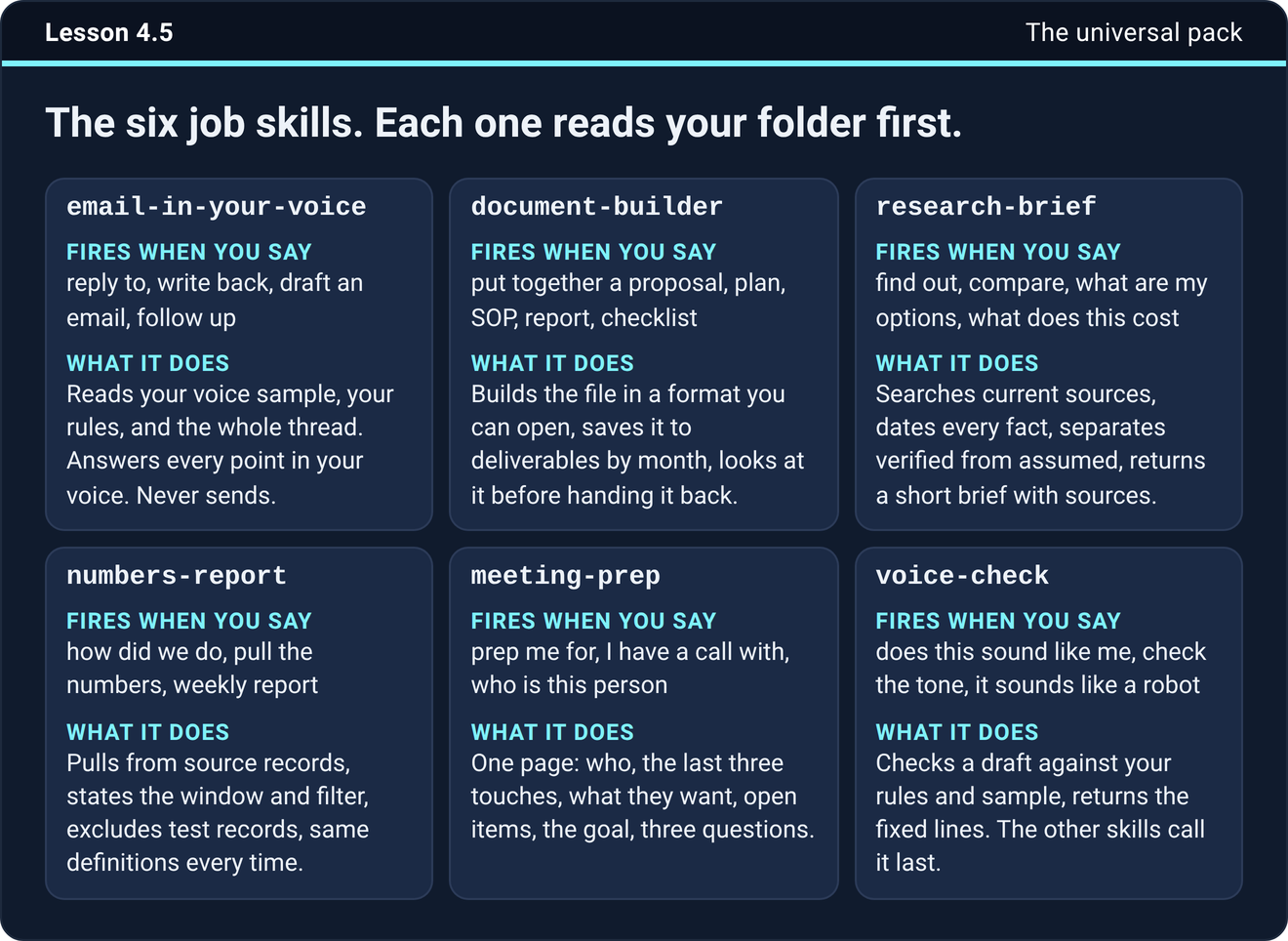
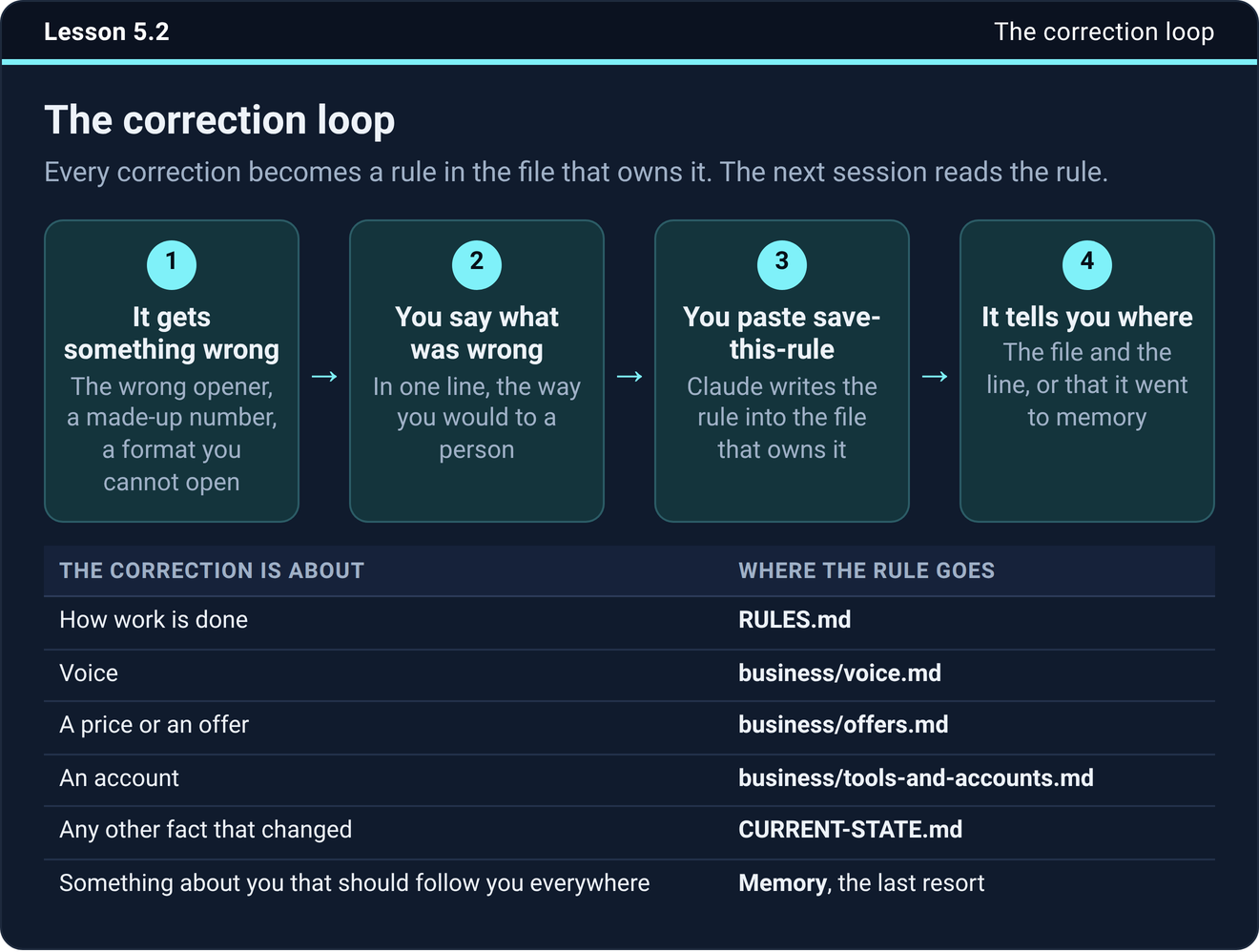
These are real pages from the course. Every lesson gives you one step to do, and most come with a download.
Twelve modules, 53 short lessons
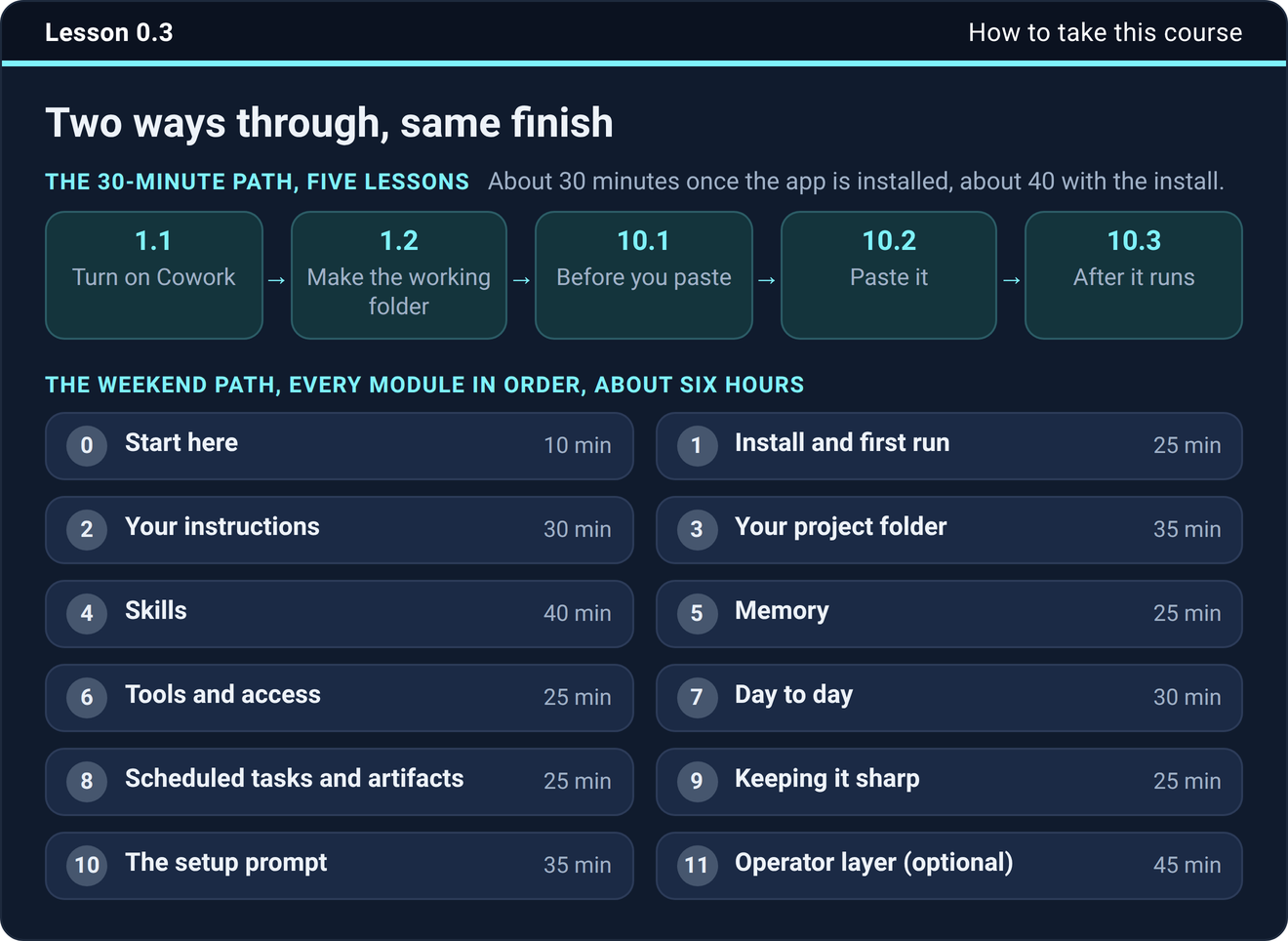
The 30-minute path is five lessons and gets your setup built. The weekend path takes about six hours.
- 0Start here
- 1Install and first run
- 2Your instructions
- 3Your project folder
- 4Skills
- 5Memory
- 6Tools and access
- 7Day to day
- 8Scheduled tasks and artifacts
- 9Keeping it sharp
- 10The setup prompt
- 11Operator layer, optional
This is for you if
- You own or run a small business, on your own or with a small team
- You already use AI for work and you are tired of starting over every time
- You want files you can open, written in your voice, and checked before they reach you
- You can give it one sitting now and fifteen minutes a week after that
This is not for you if
- You want a list of prompts and nothing more
- You want a tool that runs the business for you
- You are not going to maintain what you build
What you need
Who made this
Questions people ask
Do I need to code?
No. Nothing in the course needs code. Module 11 has two optional scripts, and Claude runs those itself.
Does it work on Windows?
Yes. One feature, recording a skill from your screen, is Mac only right now, and the course says so where it comes up.
Is there video?
No. The lessons are written, with screenshots, pictures, and downloads. You read a lesson, do the step it gives you, and move to the next one.
What if Cowork changes?
The app changes often. Every click path in the course was checked against the app and Claude's help center in September 2026, and the ideas still hold when a button moves.
Is this the same as your done-for-you service?
No. Customer Journey Creation builds AI systems for businesses that have a team. This is the do-it-yourself version for one owner or a small team. You onboard it yourself, the way you would a new hire, and you keep everything it builds.
What is the Your AI team screen?
A page inside your own Claude that lists every agent and routine you have, what each one does, and when it last ran, with a Run now button on each. The plugin adds it. Nothing runs on anyone else's computer, and nothing is sent without your click.
How long until it pays off?
You measure it on your own business, not on a promise. Lesson 7.5 has you hand the finished setup one real job from your week and read what comes back, the day you finish. After that, every job you hand off is time back every week.
Is there a live call?
Yes. Premium members meet on a live Q&A call once a month, the first Wednesday at 12:00 pm Phoenix. Bring your questions about your setup or the course and we work through them together.
What if it does not work for me?
Premium comes with a 30-day money-back guarantee. If you build the setup and it is not doing real work for you in the first 30 days, say so and you get your money back.
What happens after I tap Join?
You answer three short questions and I let you in, free. Every member gets the community and two short free courses: Pick the Right Claude, 45 minutes on which model and effort level to use, and See the Finished Setup, three lessons on what the four agents hand back. Onboard Claude, the course that builds the setup, is the Premium tier inside the community, and you upgrade the day you want to build.
Ready to onboard Claude?
Tap Join, answer three short questions, and I let you in. Joining is free, the setup course is inside, and Premium carries a 30-day money-back guarantee.
Join the community
Privacy Policy
Effective Date: January 1, 2026
Information We Collect
When you fill out our audit request form, we collect your name, email address, phone number (optional), business name, employee count, and any details you share about your AI challenges. We use this information solely to schedule and conduct your free AI audit call.
How We Use Your Information
Your information is used to contact you about scheduling your audit call, to understand your business needs before the call, and to follow up after the call if you choose to work with us. We do not use your information for unrelated marketing purposes.
We Never Sell Your Data
We do not sell, rent, trade, or share your personal information with third parties for their marketing purposes. Period.
Data Storage & Security
Your information is stored securely and is only accessible to Customer Journey Creation team members who need it to serve you. We use industry-standard security practices to protect your data.
Email Communications
By submitting our form, you consent to receive email communications from Customer Journey Creation related to your audit request and our services. You may unsubscribe at any time by replying to any email with "unsubscribe."
Your Rights
You have the right to request access to, correction of, or deletion of your personal data at any time. Contact us at [email protected] to exercise these rights.
Contact
Questions about this policy? Email us at [email protected].
Terms of Service
Effective Date: January 1, 2026
Free Audit Call
The free 1-hour AI audit call is provided at no charge and with no obligation to purchase any services. Customer Journey Creation reserves the right to limit or decline audit requests at our discretion.
Services
Paid AI integration services are provided under a separate service agreement signed by both parties. All service terms, deliverables, timelines, and pricing will be outlined in that agreement before any paid engagement begins.
Intellectual Property
Any AI systems, automations, workflows, or documentation created specifically for your business as part of a paid engagement become your property upon full payment. Customer Journey Creation retains the right to use general methodologies and frameworks developed through our work.
Limitation of Liability
Customer Journey Creation provides the free audit call and paid services "as is." We are not liable for any business outcomes, lost revenue, or damages arising from your use or non-use of our recommendations. Results will vary based on each business's circumstances, team adoption, and implementation.
Governing Law
These terms are governed by the laws of the State of Arizona, United States.
Contact
Questions? Email us at [email protected].