The handoff prompt. Seven lines that brief a job so Claude asks less.
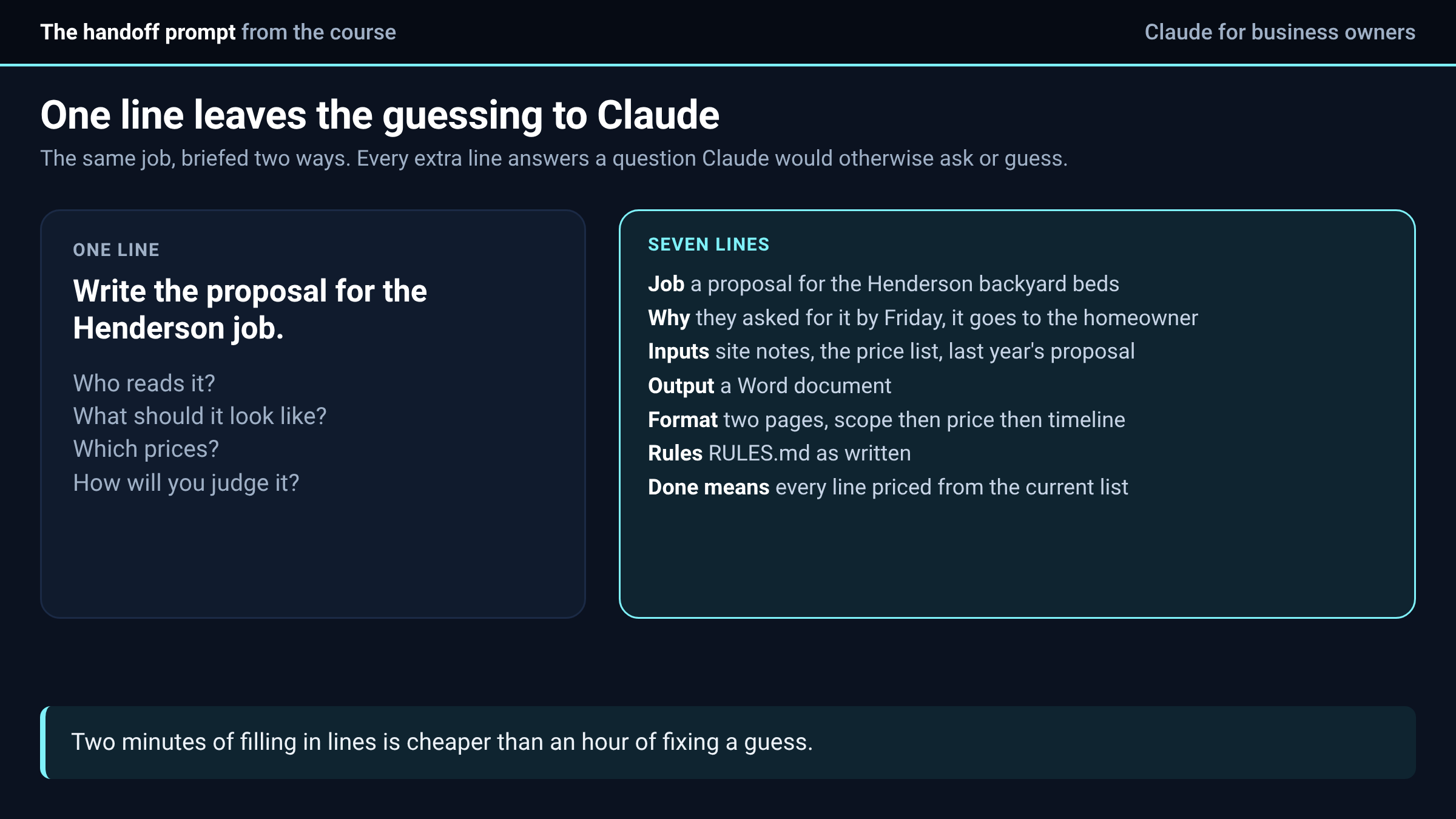
Most of the time you ask Claude for something in one line, and for a reply or a lookup that is fine. The trouble starts when the job has several steps. A line like "write the proposal for the Henderson job" leaves Claude guessing at who reads it, what it should look like and what you will call finished, and a guess on a long job costs you an hour of fixing.
The course has a fix for this, and it is the same thing a good manager does when handing a job to a good employee. It is a brief of seven lines, and it takes about two minutes to fill in.
The seven lines
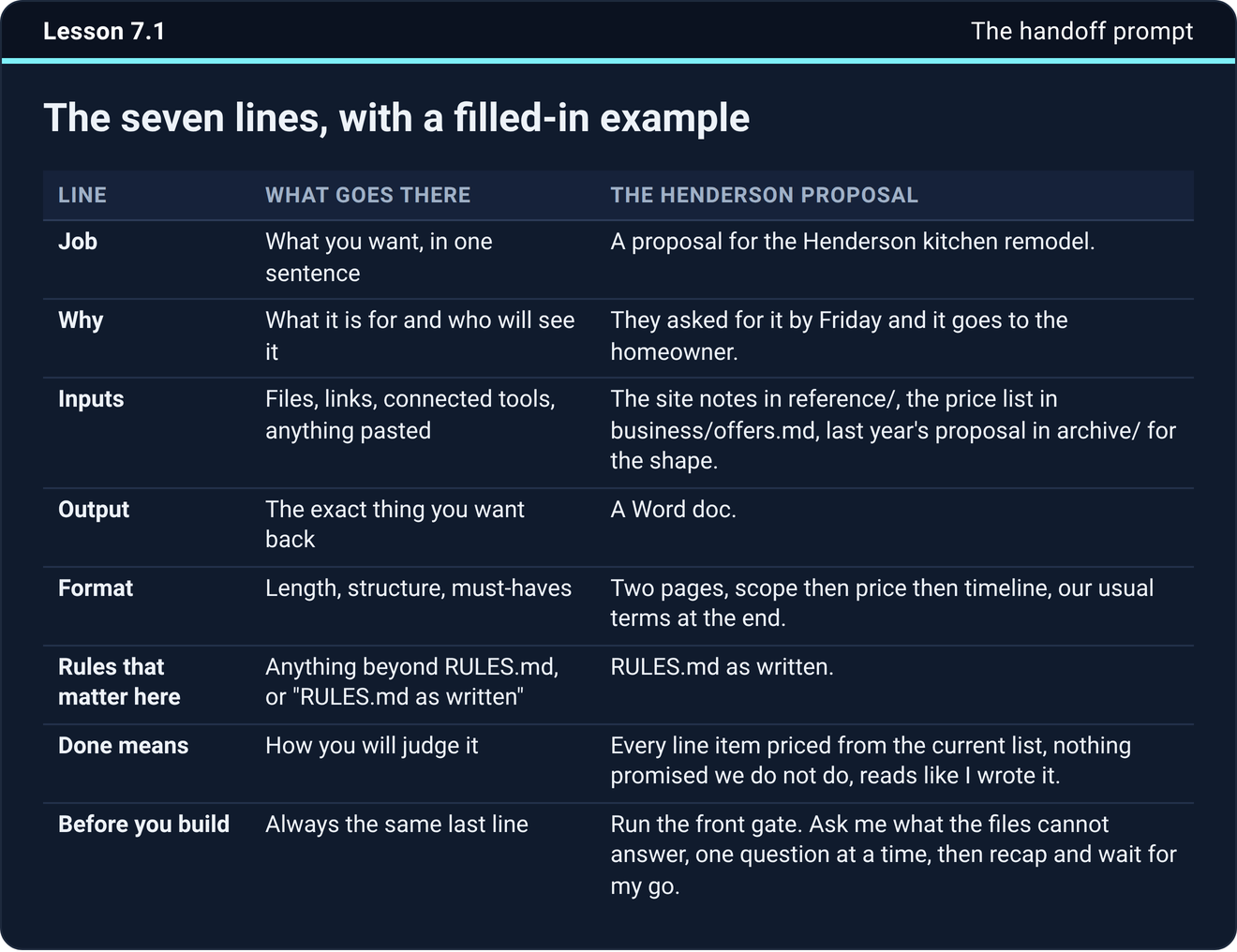
The first line is the job, in one sentence. The second is why, meaning what it is for and who will see it. The third is the inputs, which are the files, links and connected tools Claude should pull from. The fourth is the output, the exact thing you want back, such as a Word document, a spreadsheet or a draft email.
The fifth is the format, which covers length, structure and anything it must include. The sixth is any rules that matter for this job beyond your usual rules file, or just the words "RULES.md as written." The seventh is what done means, which is how you will judge the result, for example every item covered, numbers traced to the source, and it reads like you wrote it.
The brief ends with one more line that asks Claude to run the front gate. That means it asks you what the files cannot answer, one question at a time, then recaps and waits for your go before it builds anything.
A filled-in example
Here is the course's own example, for a fictional landscaping business. The job is a proposal for the Henderson backyard beds. It is why they asked for it by Friday and it goes to the homeowner. The inputs are the site notes in the reference folder, the price list in business/offers.md and last year's proposal in the archive for the shape.
The output is a Word document of two pages, scope then price then timeline, with the usual terms at the end. The rules are "RULES.md as written." Done means every line item is priced from the current list, nothing is promised that the business does not do, and it reads like the owner wrote it.
Every one of those lines answers a question Claude would otherwise have to ask or guess at. Compare that with the one-line version.
Let it ask
The course teaches the opposite habit to over-briefing. The instinct with a new tool is to type everything you can think of in case it helps, and half of that turns out to be beside the point. So you give the job and the seven lines, and Claude asks what the files cannot answer, as tappable choices with the recommended option first. If the recommended option is right, tap it. If none fit, type your own answer.
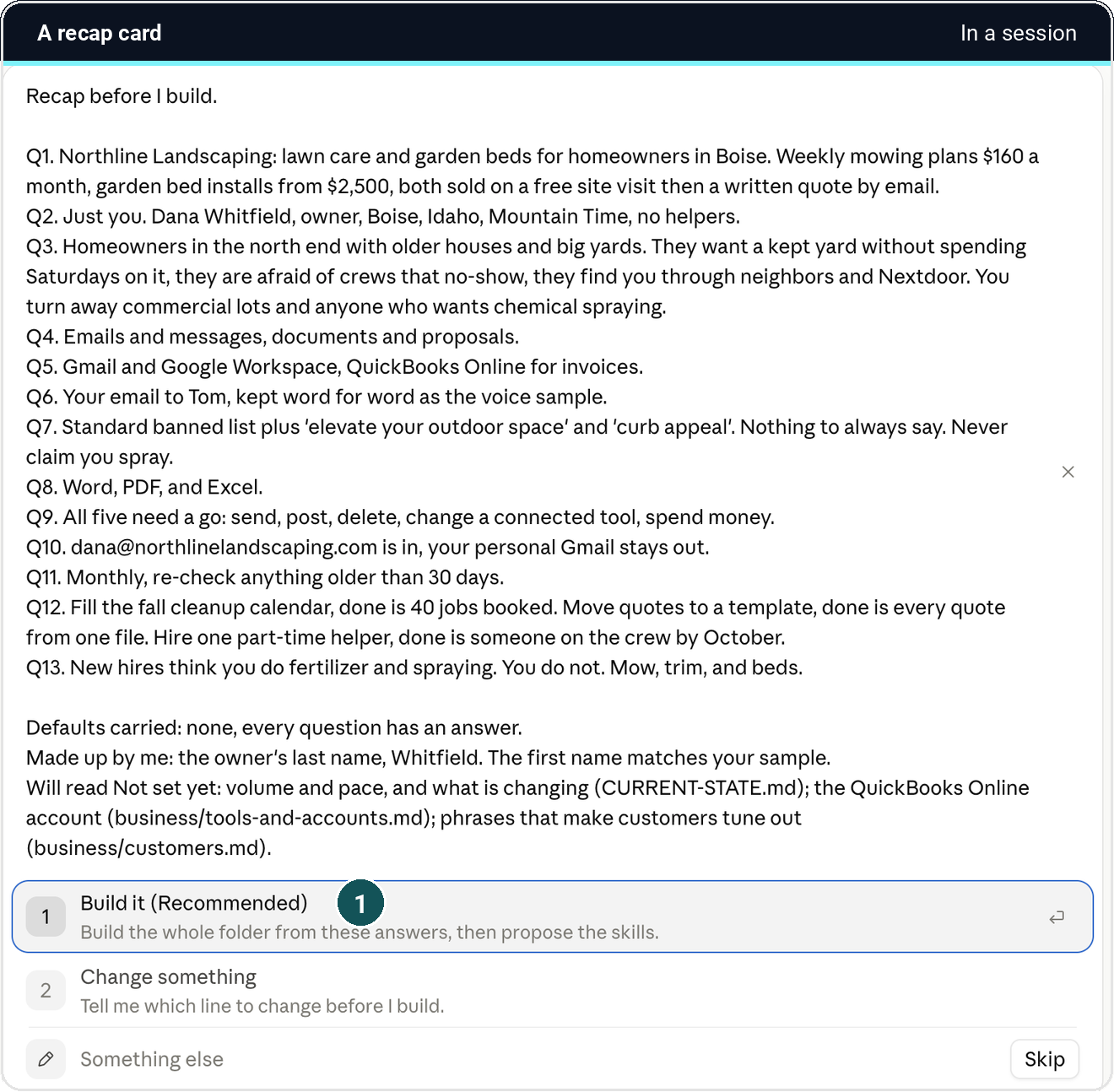
Before it builds anything with more than one step, Claude shows one recap card with every decision you made and every assumption it is carrying, along with what changes if an assumption is wrong. Read that card. It is the cheapest moment to catch a misunderstanding.
When you do not want questions
Say "just do it." Claude then builds on the most reasonable reading and lists its assumptions with the result. That suits low-stakes work and anything you will review anyway, and it is a poor fit for a proposal that goes to a customer.
When Claude asks something the folder should know
If Claude asks a question your folder already answers, the folder has a gap. Answer it, then add the answer to the file that should have held it, and the question does not come back. Over a few weeks the questions get fewer, which is the point of keeping the folder.
Try it now
Take the next real job on your list, fill in the seven lines and paste them in. Count how many questions Claude asks. Then write down which line you filled in last, because that is the line you usually leave out.
The next step
Save the seven lines as a text file in your folder so the next brief starts from the template instead of a blank box.
The handoff template, the front gate and the rest of the setup are in the course inside Teach Claude Your Business, where you onboard Claude like a new hire in one sitting and keep everything it builds. It is free to join.
Join Teach Claude Your Business
Sources: Onboard Claude lessons 7.1, 7.2 and 4.2, Teach Claude Your Business. The example is the course's fictional landscaping business and not a customer result.

