The folder Claude works from. What goes in it and what it reads first.
Every time you start a new chat, Claude knows nothing about your business. You type your prices again, explain your tone again and say who the customer is again. A folder fixes that, and it is the least technical part of the whole setup.
A folder is just a place on your computer where plain files live. If you can make a folder and a text file, you can build this one.
What Cowork does with a folder
Anthropic's help center, read on October 4, 2026, says projects in Claude Cowork let you group related tasks into dedicated workspaces with their own files, context, instructions and memory. When you create one you can choose to use an existing folder on your computer. Projects made from a folder stay on that computer, and the memory is scoped to the project, so what Claude learns in one project does not carry over to the others. Cowork is on the paid plans, which are Pro, Max, Team and Enterprise, in Claude Desktop for macOS and Windows.
You decide which files Claude can reach. The help center says Claude can read, write and permanently delete files in the folders you connect, that it always asks before permanently deleting, and that you should consider a dedicated working folder rather than broad access, and keep backups of important files. So the folder for Claude is a new, separate one. Do not point it at your whole Documents folder.
What goes in it
The course calls the folder the office. Everything Claude should know about your business that is not a rule or a skill lives there, in plain files you can open and edit. These are the ones at the top.
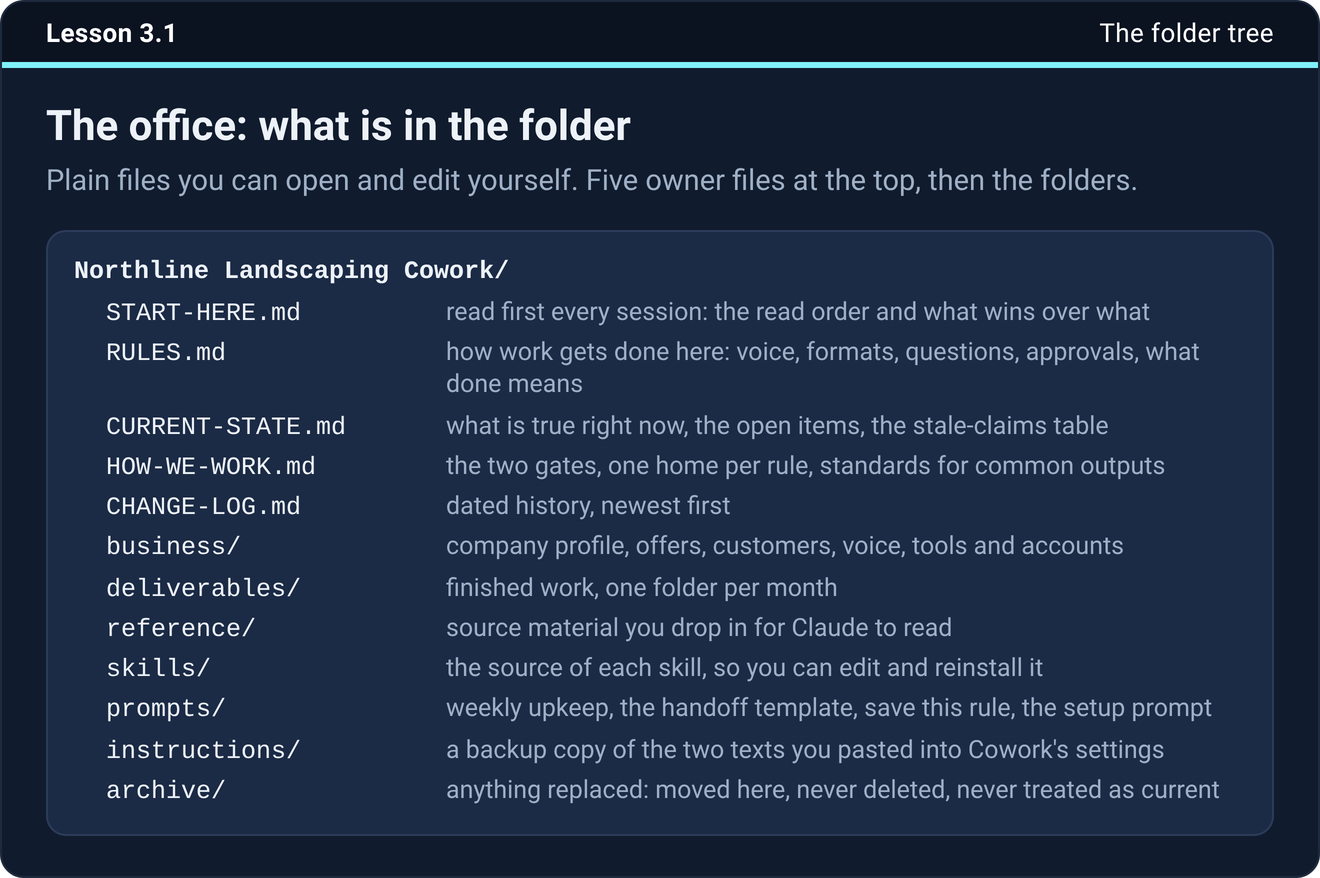
START-HERE.md is what Claude reads first in every session. RULES.md holds how work gets done, with your voice, your formats, your approvals and what finished means. CURRENT-STATE.md holds what is true right now. HOW-WE-WORK.md holds the checks that run before and after every job. CHANGE-LOG.md is the dated history, newest first. A business folder holds the company profile, your offers, your customers, your voice and your tools and accounts. Finished work goes in a deliverables folder, source material in a reference folder, and anything replaced goes in an archive folder.
Why several small files
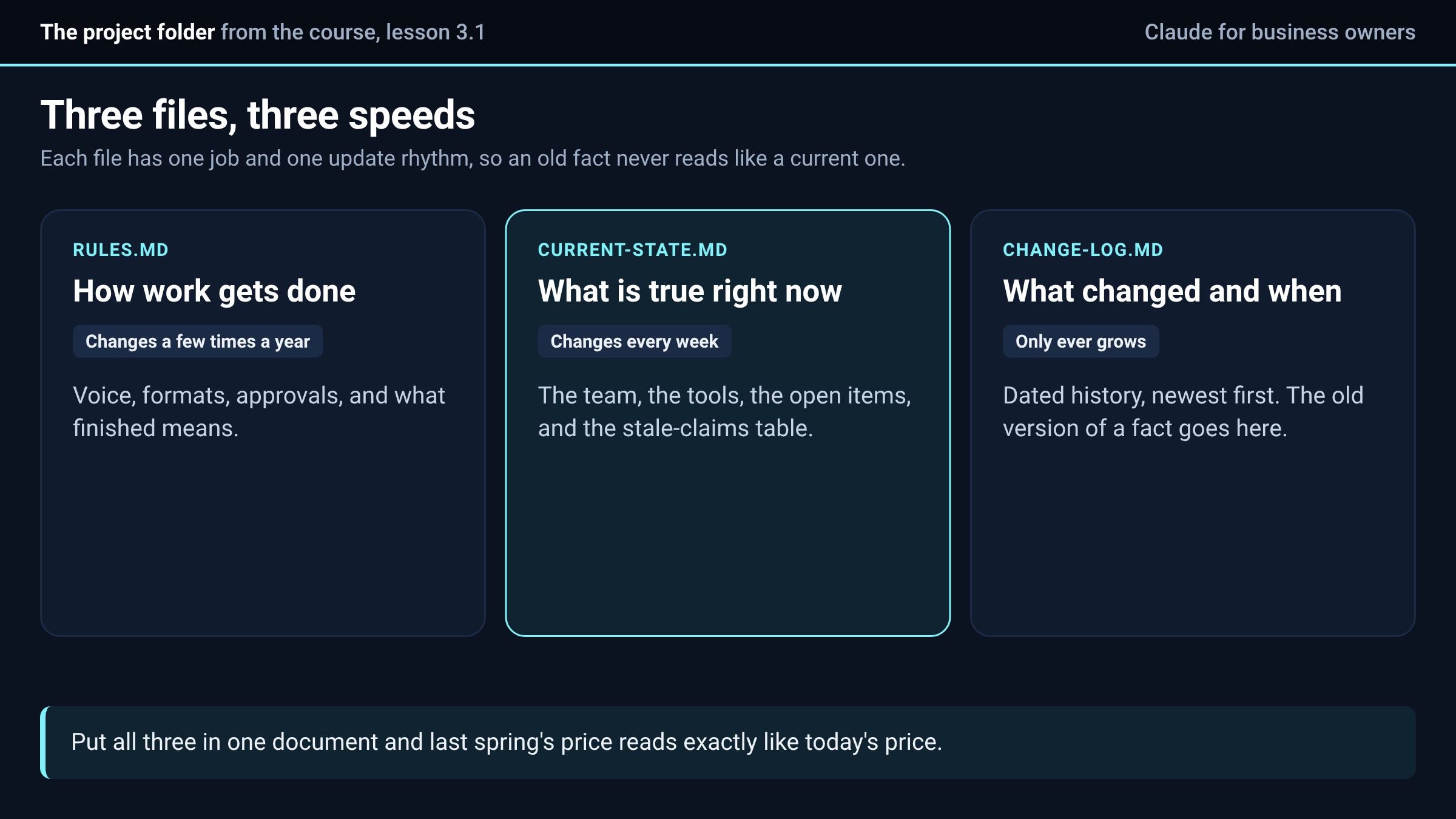
You could put all of it in one long document. The trouble is that the pieces change at different speeds. Rules change a few times a year, current facts change every week, and history only ever grows. Mix them and a fact from last spring reads exactly like a fact from today, and Claude cannot tell which is which. Split them and every file has one job and one update rhythm.
The file it reads first
START-HERE.md is short. It says the order to read things in, which is RULES.md, then CURRENT-STATE.md, then HOW-WE-WORK.md before any build, then the business files the task needs. It also says what wins over what. CURRENT-STATE.md beats memory, skills, older files and anything said earlier in the chat. A file in reference is something to read and never a decision that was made. Nothing in archive is current.
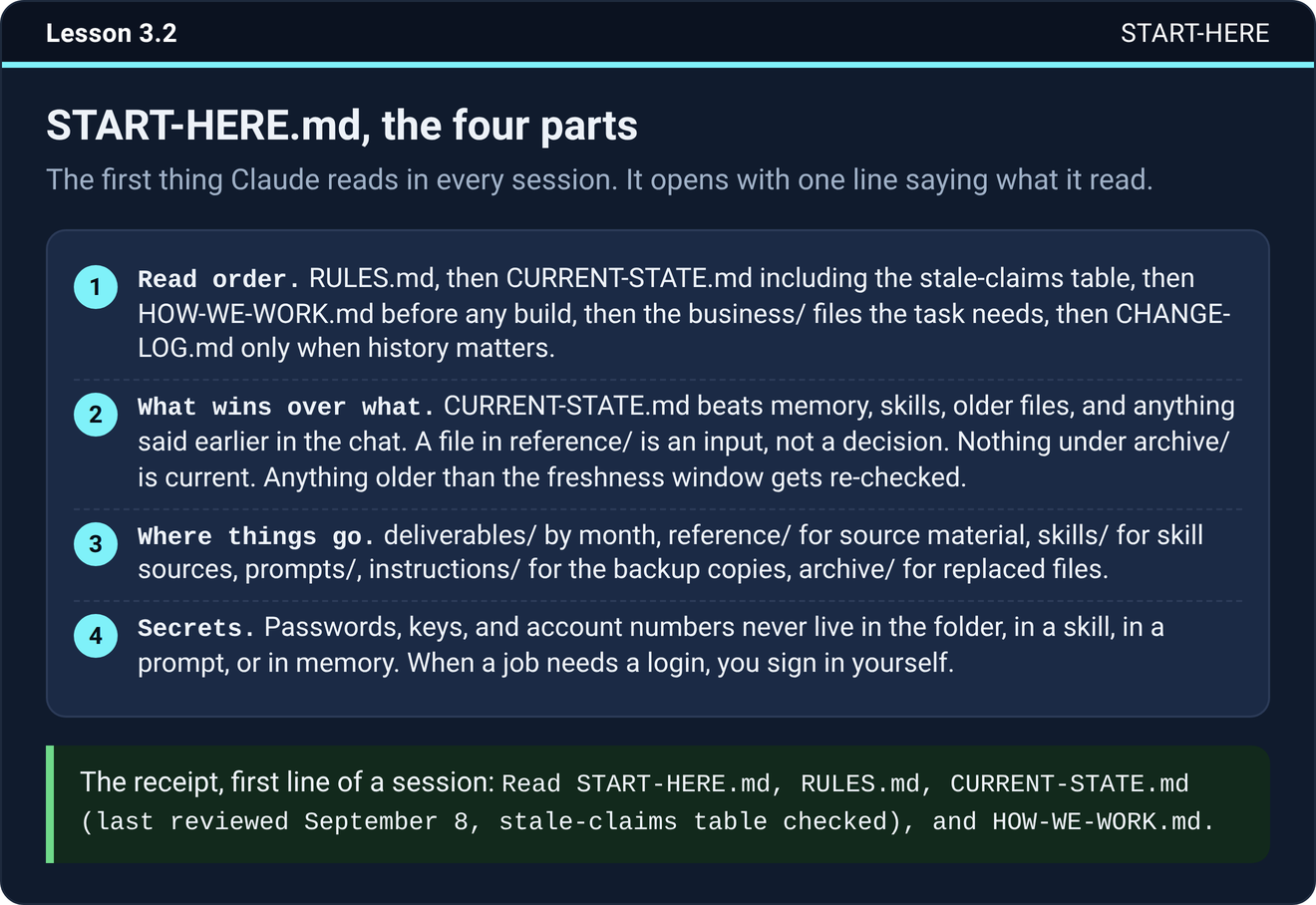
The course asks Claude to open every session with one line saying what it read, such as which files it opened and when the state file was last reviewed. That line is how you know the boot happened. In Cowork the first words of a session can fold into a note you have to expand, so if you cannot find it, say "Read START-HERE.md and tell me what you read." If it still cannot find the file, the folder is not connected to the project, or the file is sitting one level too deep.
The table that stops wrong facts coming back
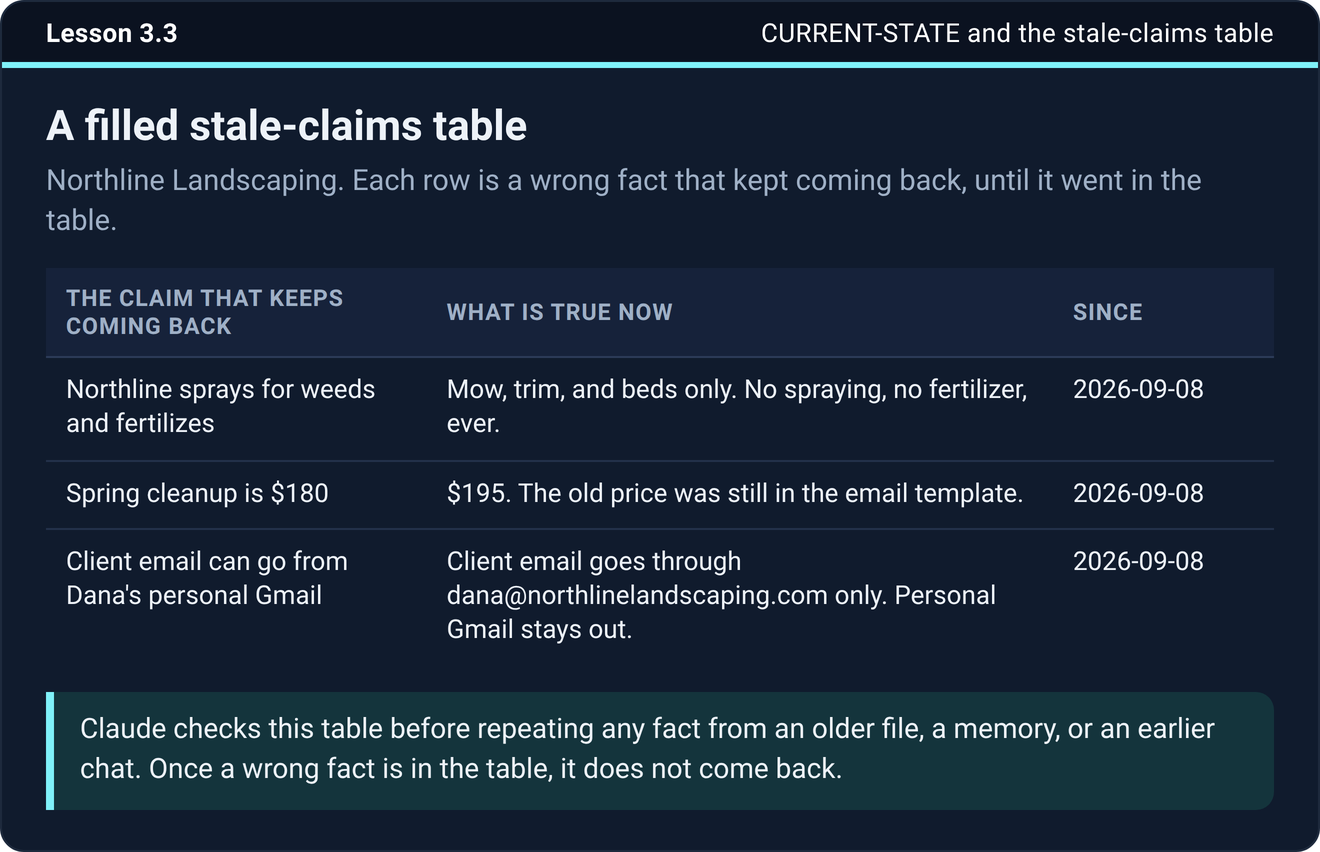
Some wrong facts keep returning. A price changed, a person left, a tool got replaced, and the old version still sits in an email thread, an old deliverable and a chat from three weeks ago. CURRENT-STATE.md carries a stale-claims table with three columns: the claim that keeps coming back, what is true now, and since when. Claude checks it before repeating any fact from an older file or an earlier chat.
Two rules for the folder
When a file is replaced by a newer one, move the old one into archive. Never delete it, because it is your way back if the new one turns out wrong. Never put passwords, API keys or card numbers in the folder, because Claude can read everything in it. When a job needs a login, you sign in yourself in the browser or the app.
The check takes ten seconds. Search the folder for "password" and "api key", and it should find nothing.
Try it now
Make a new folder just for Claude and give it START-HERE.md with the read order from above. Connect it to a Cowork project, start a new session and see whether the first line names the files it read.
The next step
Write down the business facts Claude gets wrong most often, put them in CURRENT-STATE.md, and add the old versions to the stale-claims table with today's date.
The folder template, the setup prompt that builds all of this for you and the rules files are in the course inside Teach Claude Your Business, where you onboard Claude like a new hire in one sitting and keep everything it builds. It is free to join.
Join Teach Claude Your Business
Sources: Organize your tasks with projects in Claude Cowork and Use Claude Cowork safely, Claude help center, read October 4, 2026. The folder tree, the read order, the stale-claims table and the archive and secrets rules are from Onboard Claude lessons 3.1, 3.2, 3.3 and 3.5.

