
The weekly fifteen minutes that keep Claude's setup sharp.
You set up your folder, your rules and your skills, and the first few weeks Claude is sharp. Then a price changes, a person leaves, a tool gets swapped, and nobody updates the folder. A month later Claude is quoting last quarter's price with total confidence, and the setup gets blamed.
A trained employee stays trained because someone keeps the handbook current. Nobody does that for a folder unless it is on the calendar, so the course gives it fifteen minutes, once a week, at the same time, with the desktop app open and the project open.
The six steps and who does what
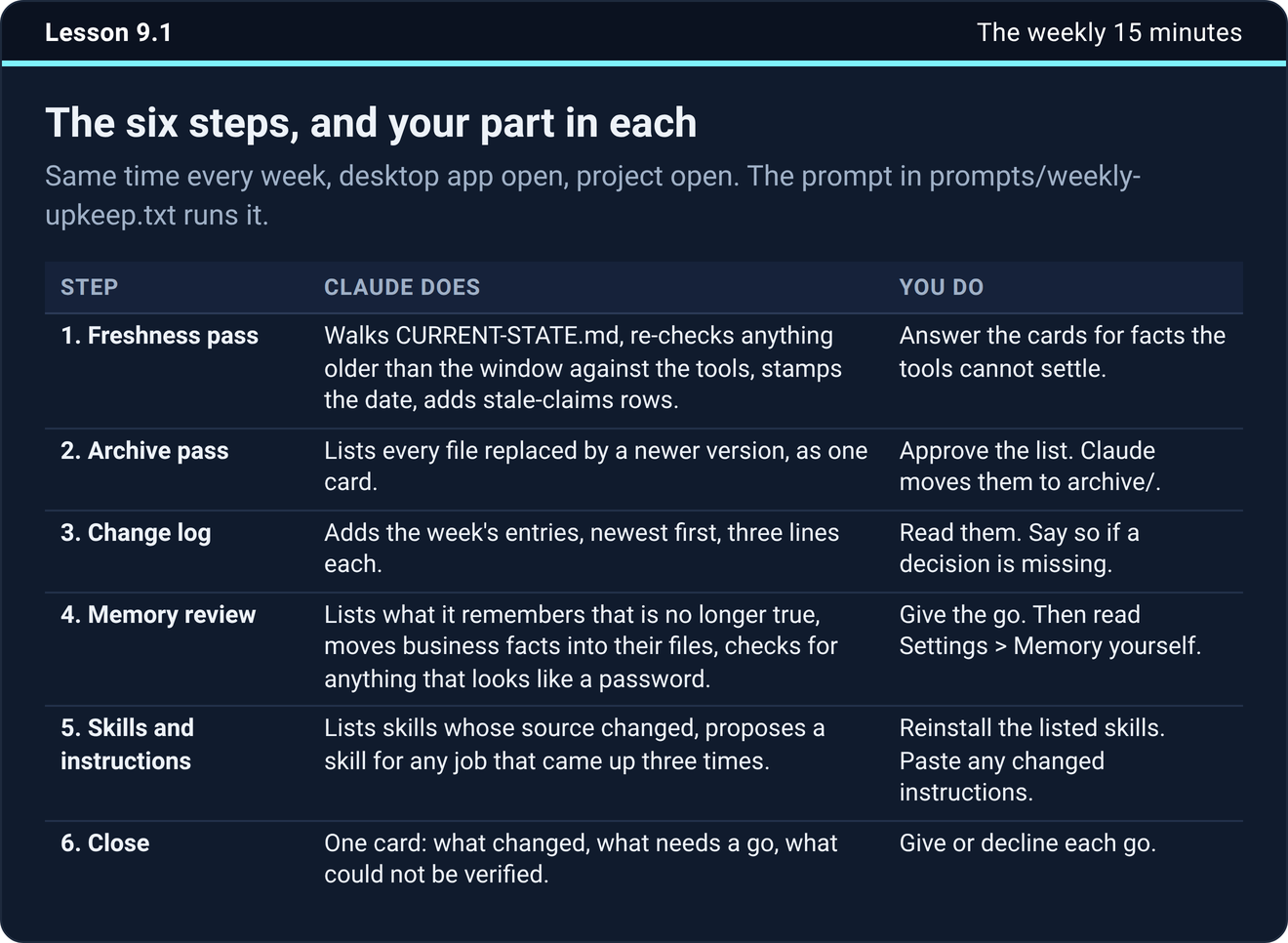
Claude does nearly all of the work. You answer cards and give the go.
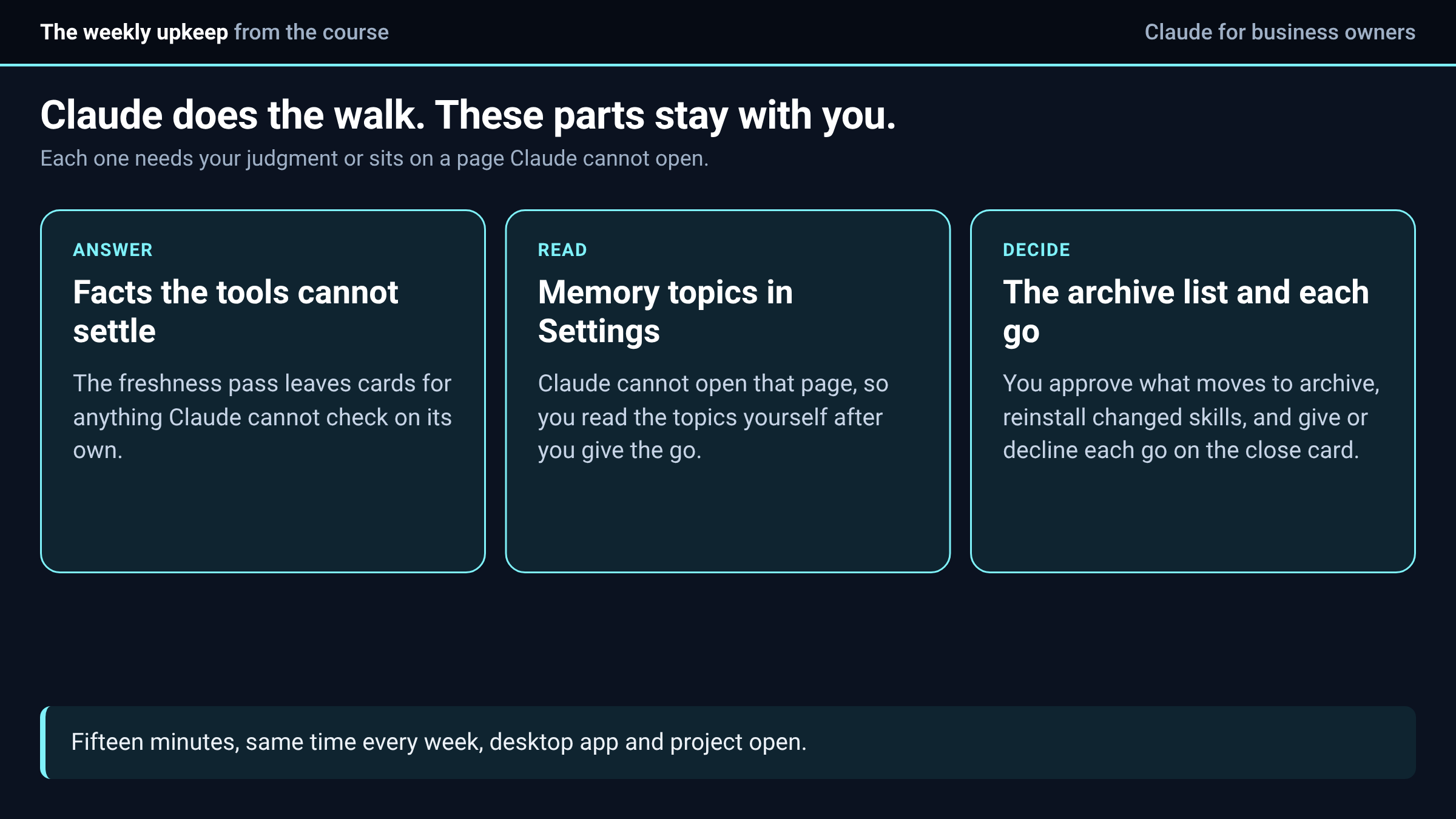
The first step is a freshness pass. Claude walks through CURRENT-STATE.md, checks anything older than your freshness window against your tools, stamps the date and adds a row to the stale-claims table for anything that turned out wrong. You answer the cards for facts the tools cannot settle.
The second is an archive pass. Claude lists every file replaced by a newer version or a newer decision, as one card. You approve the list and Claude moves them to the archive folder. It never deletes them.
The third is the change log. Claude adds the week's entries to CHANGE-LOG.md, newest first, three lines each, and you read them and say so if a decision is missing.
Memory, skills and the close
The fourth step is the memory review. Claude lists what it remembers that is no longer true and what got decided this week that should be remembered. It moves any business fact from memory into the file that owns it, and it checks the folder, the skills and the memory for anything that looks like a password or a key.
You give the go, and then you open Settings and read the memory topics yourself, because Claude cannot open that page. The help center release notes, read on October 12, 2026, say memory topics are editable under Settings, Memory, and that memory now works across chat and Cowork. That makes reading the list yourself worth the two minutes.
The fifth step covers skills and instructions. Claude lists any skill whose source changed since you installed it, proposes a new skill for any job that came up three times, and asks whether your instructions changed. You reinstall the listed skills and paste in any changed instructions.
The sixth is the close, which is one card with what changed, what needs your go and what could not be verified along with the check that would settle it. You give each go or decline it.
What only you can do
The course keeps a short list of things Claude hands back to you on purpose, because they either need your judgment or sit in a page Claude cannot reach.
If you set up the upkeep prep task from the scheduled tasks lesson, it runs that morning and leaves you a note of what changed in your tools, what got decided and which facts may now be wrong. Paste that under the upkeep prompt and the first step goes about twice as fast.
When to add, split or rebuild
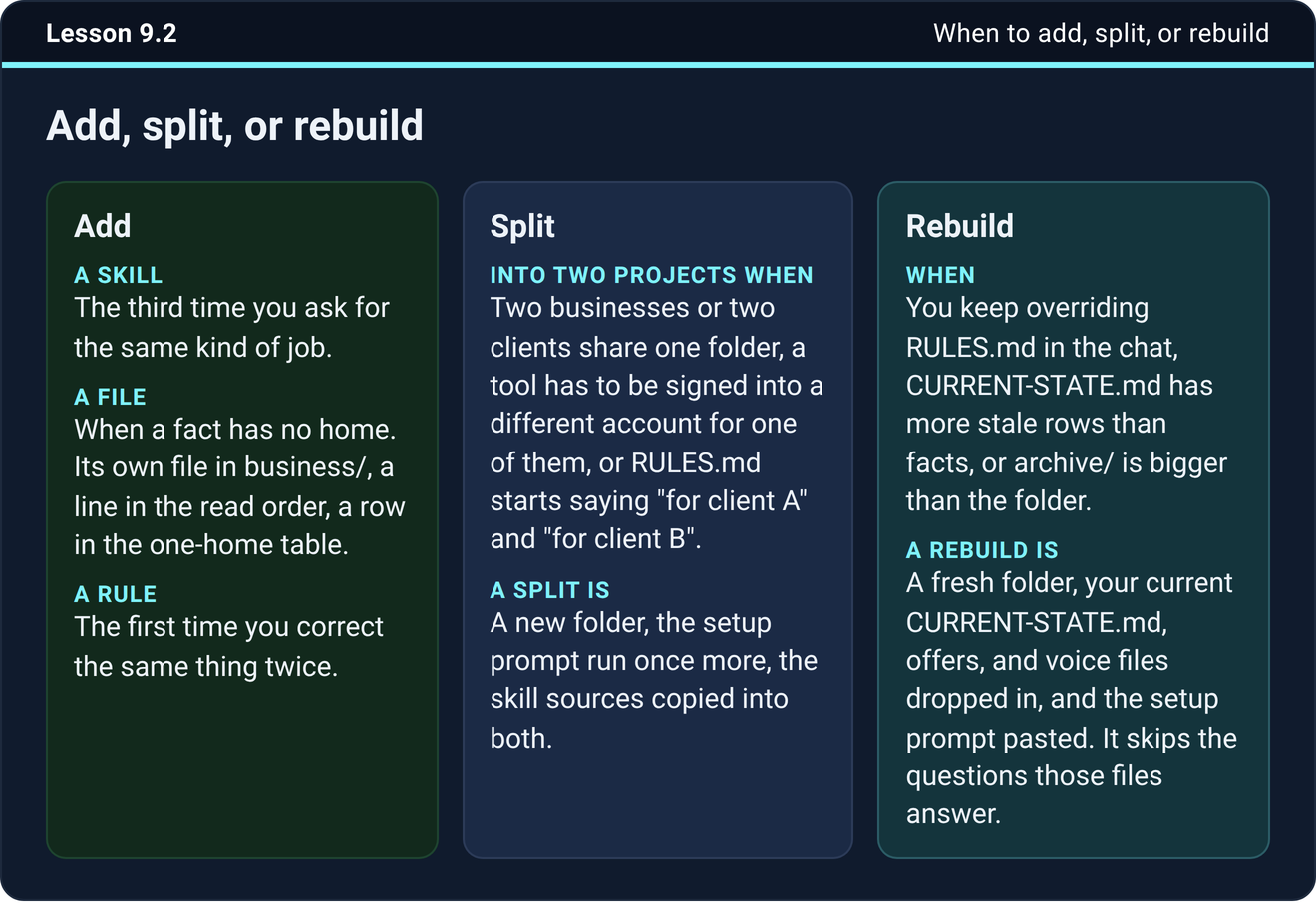
The upkeep also tells you when the setup itself needs to change. The course gives three rules.
Add a skill the third time you ask for the same kind of job. Add a file when a fact has no home, such as a vendor list or a price sheet for a second line of business, and give it one line in the read order and a row in the one-home table. Add a rule the first time you correct the same thing twice.
Split when two businesses share one folder, when a tool has to be signed into a different account for one of them, or when you catch yourself writing "for client A" and "for client B" in the same rules file. Rebuild when you keep overriding the rules in the chat, when the state file has more stale rows than facts, or when the archive is bigger than the folder. A rebuild is cheap. You start a fresh folder, drop in the files worth keeping and paste the setup prompt, which skips the questions those files already answer.
Try it now
Put the block on your calendar for the same time next week. Then run the upkeep once today with the checklist open, so the first real one is not the first time you have seen it.
The next step
Count how many times last week you asked for the same kind of job. Anything at three is your next skill.
The weekly upkeep prompt, the checklist and the troubleshooting table are in the course inside Teach Claude Your Business, where you onboard Claude like a new hire in one sitting and keep everything it builds. It is free to join.
Join Teach Claude Your Business
Sources: Onboard Claude lessons 9.1, 9.2 and 9.3, Teach Claude Your Business. Release notes, Claude help center, read October 12, 2026.

