
Why Claude keeps ignoring what you told it. Give every rule one home.
You told Claude to stop opening emails with a compliment. It stopped. Two weeks later, in a new chat, the compliment is back. You are sure you fixed this, and you did. Claude is following a copy of the rule you forgot about.
This is the most common reason a setup feels like it is ignoring you, and it has nothing to do with how smart the model is. It is a filing problem, and it has a short fix.
How a rule ends up in five places
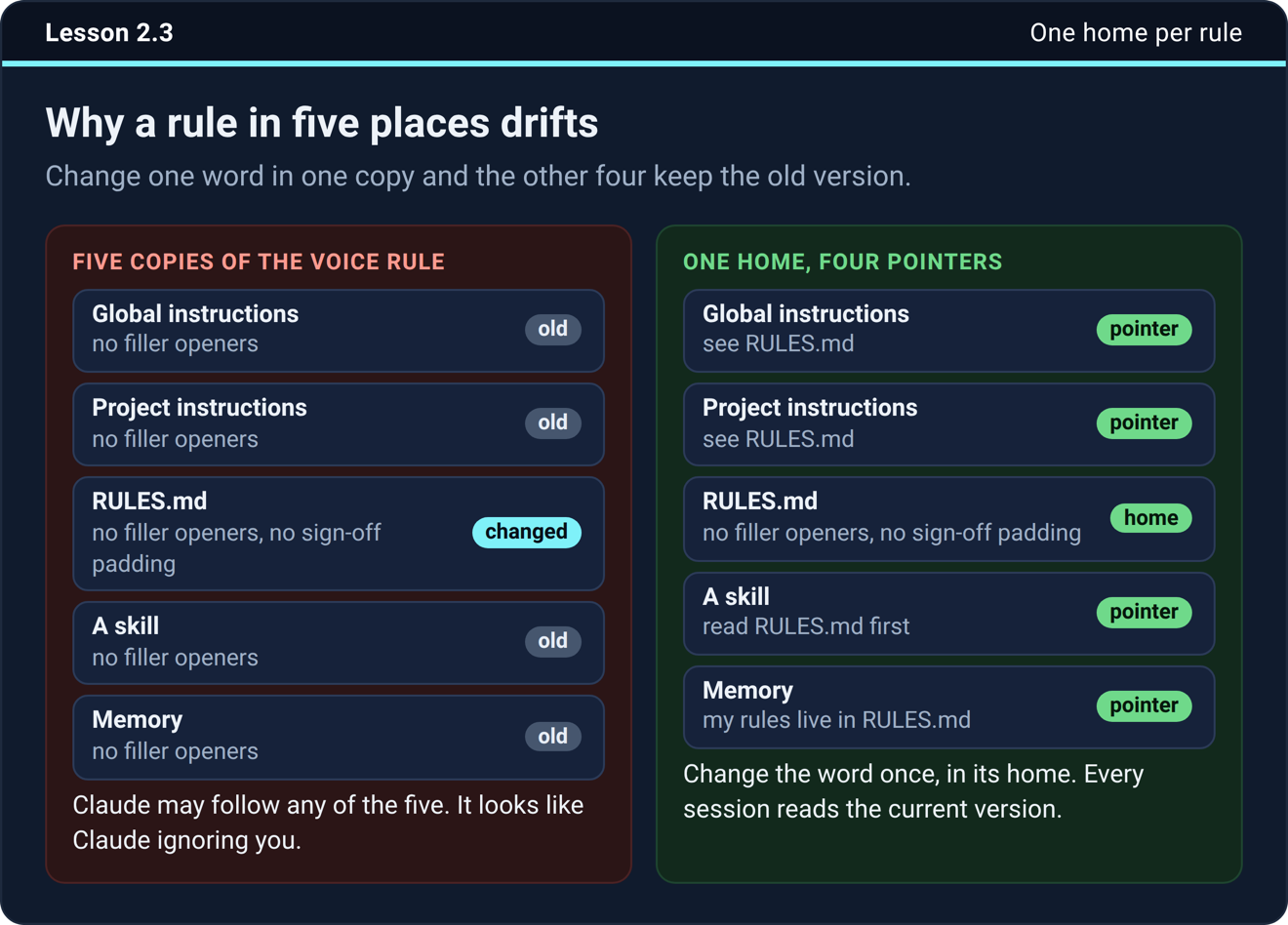
When you build a setup, the same rule ends up everywhere. Your voice rules go in the instructions box in Settings, because that is where you started. Then they go in the project instructions to be safe, then in a file in your folder, then in a skill because the skill writes your emails, then in memory because Claude offered to remember them.
Then you change your mind about one word. You fix it in the file. The other four copies keep the old version, and Claude may follow any of them. From your side it looks like Claude ignoring you. From Claude’s side it is doing what one of your five notes says.
The rule
Every rule and every fact has exactly one home. Everywhere else points at the home instead of repeating it.
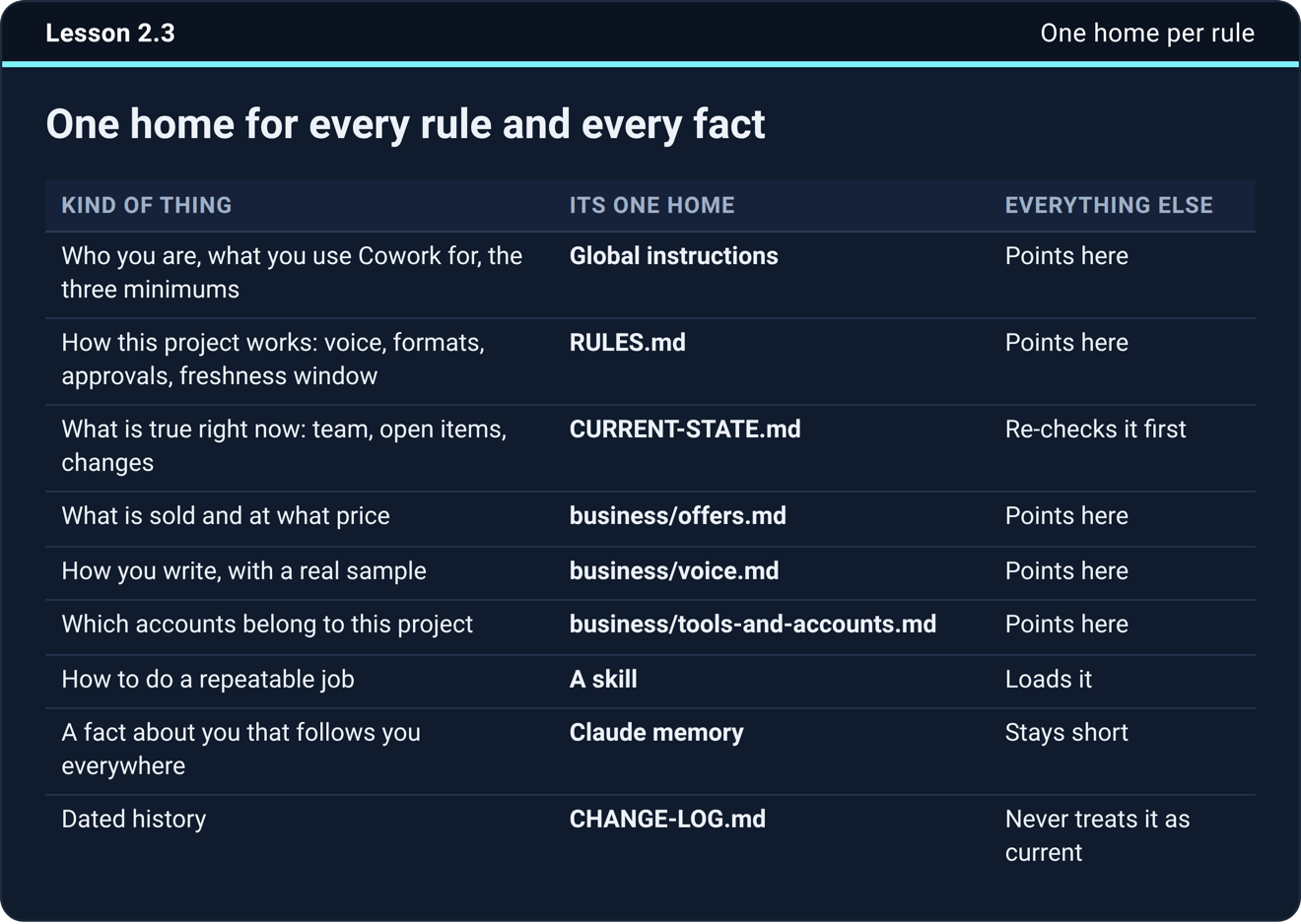
That is the whole rule. The work is deciding which home is which, and the setup course settles it with a short table. Who you are, what you use Claude for, and three minimums that hold when no folder is connected live in the instructions box, the one the app calls Instructions for Claude under Settings as of September 22, 2026. How this business works, meaning your voice, your banned words, the formats you can open, and what needs your go before it goes out, lives in a rules file in your folder. Mine is called RULES.md.
What is true right now, meaning the team, the open items, and what changed last month, lives in a current-state file, and everything else re-checks it before using it. What you sell and at what price, how you write with a real sample of it, and which accounts belong to this business each get a file of their own. How to do a repeatable job is a skill, and everything else loads it. A fact about you that should follow you into every conversation is the one thing that belongs in Claude’s memory. Dated history goes in a change log, and nothing restates it as current.
Everything else in the setup is a pointer. The instructions box says “my rules live in RULES.md”, the skill says “read RULES.md first”, and memory says the same. Change the word once, in its home, and every session reads the current version.
The one exception
Three minimums travel with you. Use plain words, skip the em dashes, and never invent a fact. They sit in the instructions box even though the full rules live in the file, because a scheduled task or a session with no folder connected never sees the file. Those three have to be everywhere you are. Everything else in that box is a pointer.
Two ways the drift shows up
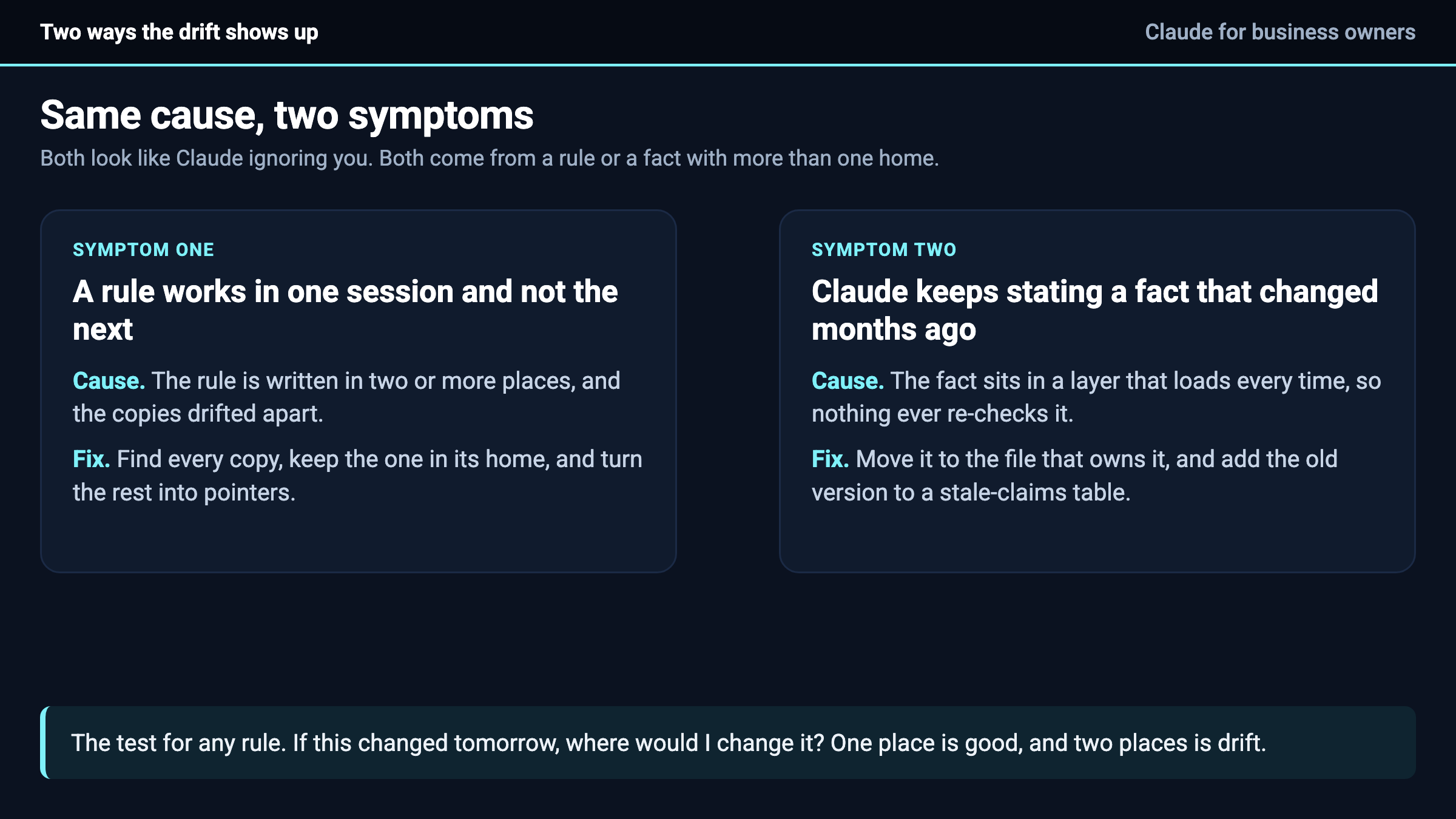
A rule works in one session and not the next. That is two copies that drifted apart. Find every copy, keep the one in its home, and turn the rest into pointers.
Claude keeps stating a fact that changed months ago, like the old price or the person who left in spring. That is a changing fact sitting in a layer that loads every time, meaning the instructions box, the project instructions, or a skill, where nothing ever re-checks it. Move it to the file that owns it, and add the old version to a stale-claims table so the next session knows it is wrong when it meets it in an older file.
The test
Ask one question about any rule. If this changed tomorrow, where would I change it? If the answer is one place, good. If the answer is two places, you have a drift problem, and it will show up as Claude forgetting something you are sure you told it.
Do this today
Open your instructions box and your project instructions side by side. If a rule appears in both, delete it from one and replace it with a pointer to the other. Then search your folder for the rule you corrected most recently and count the copies. Every copy past the first is a future argument with Claude.
The next step
The one-home table, the rules file, and the pointers are all in the setup course inside Teach Claude Your Business, where you onboard Claude like a new hire in one sitting and keep everything it builds. It is free to join.

