How to correct Claude once and never repeat it
Every owner I talk to has the same complaint about AI. You fix something, and next week it makes the same mistake. Maybe it is the opener on an email, or a price from last year, or a file format your phone cannot open. You corrected it, the chat is gone, and the correction went with it.
There is a habit that ends this, and it takes about a minute each time. Every time you correct Claude, the correction becomes a rule in a file. You never repeat it, because the next session reads the rule before it starts. This is the habit that turns a new hire into a trained one.
The four steps
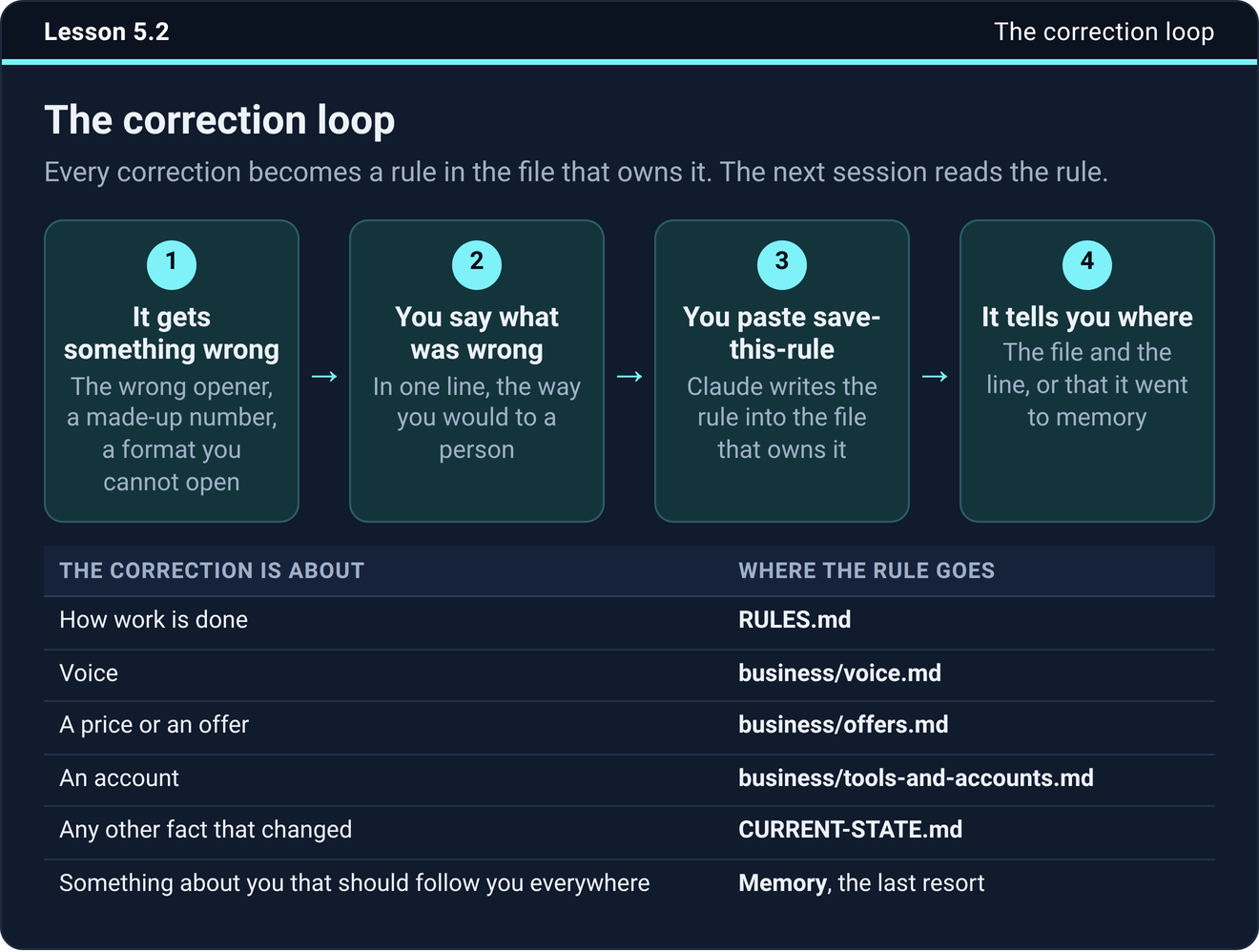
Claude does something wrong. Say it is the wrong opener, or a number it made up.
You say what was wrong, in one line, the way you would to a person. Something like “do not open with a compliment”, or “that price is two years old”.
You paste one prompt. Claude writes the rule into the file that owns it.
Claude tells you where it saved it, the file and the line, or that it went to memory. That last step is how you know it happened. If Claude says “noted” and nothing else, nothing was saved.
The prompt, word for word
Here it is. Keep it somewhere you can paste it from. In the course it sits in your folder as prompts/save-this-rule.txt.
Save that as a rule. Put it in the file that owns it (RULES.md for how work is done, business/voice.md for voice, business/offers.md for a price or offer, business/tools-and-accounts.md for an account, CURRENT-STATE.md for any other fact that changed, memory only for something about me that should follow me into sessions with no folder). Write it in one line, in plain words, as a rule and not as a story about this mistake. Tell me where you saved it: the file and the line, or that it went to memory.
The file names are the ones the setup course builds. If yours are named differently, change the names and keep the rest.
What a good rule line looks like
Write it as a rule rather than a story. “Never open an email with a compliment” beats “last Tuesday you opened the email to Tom with a compliment and I hated it.” Short, in plain words, and general enough to cover the next case.
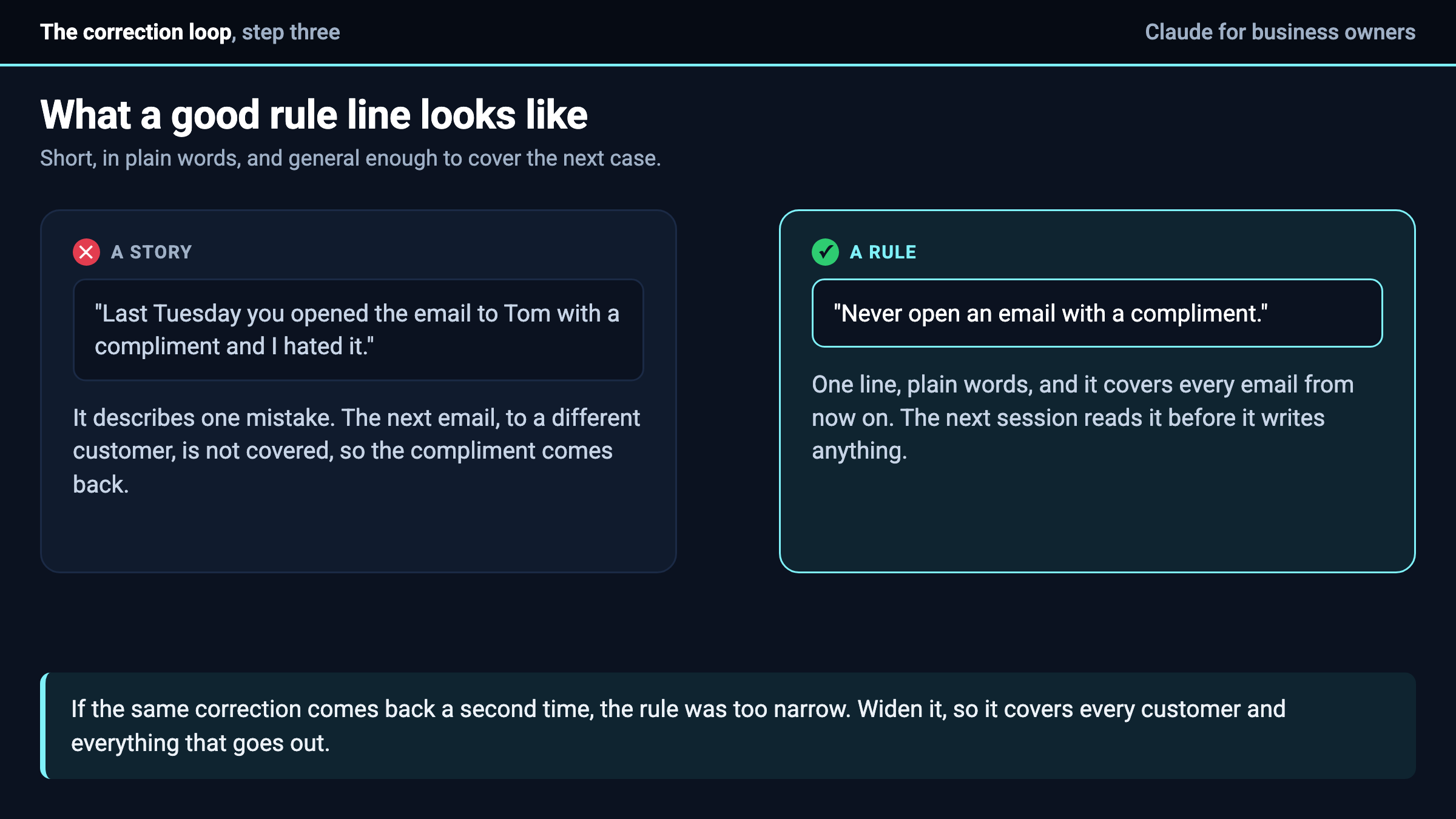
If the same correction comes back a second time, the rule was too narrow. Widen it, so a rule about one customer covers every customer and a rule about one email covers everything that goes out.
Which file owns it
A correction about how work gets done goes in the rules file. Voice goes in the voice file, next to a real sample of your writing. A price or an offer goes in the offers file. An account goes in the accounts file. Any other fact that changed goes in the current-state file. Memory is the last resort, only for something about you that has to follow you into a session with no folder connected.
One home per rule is the whole reason this works, and it is why the prompt names the file. If the rule lands in two places, the next correction drifts between them, and you are back to Claude ignoring you. I wrote about that on Monday, at why Claude keeps ignoring what you told it.
Why the file and not memory
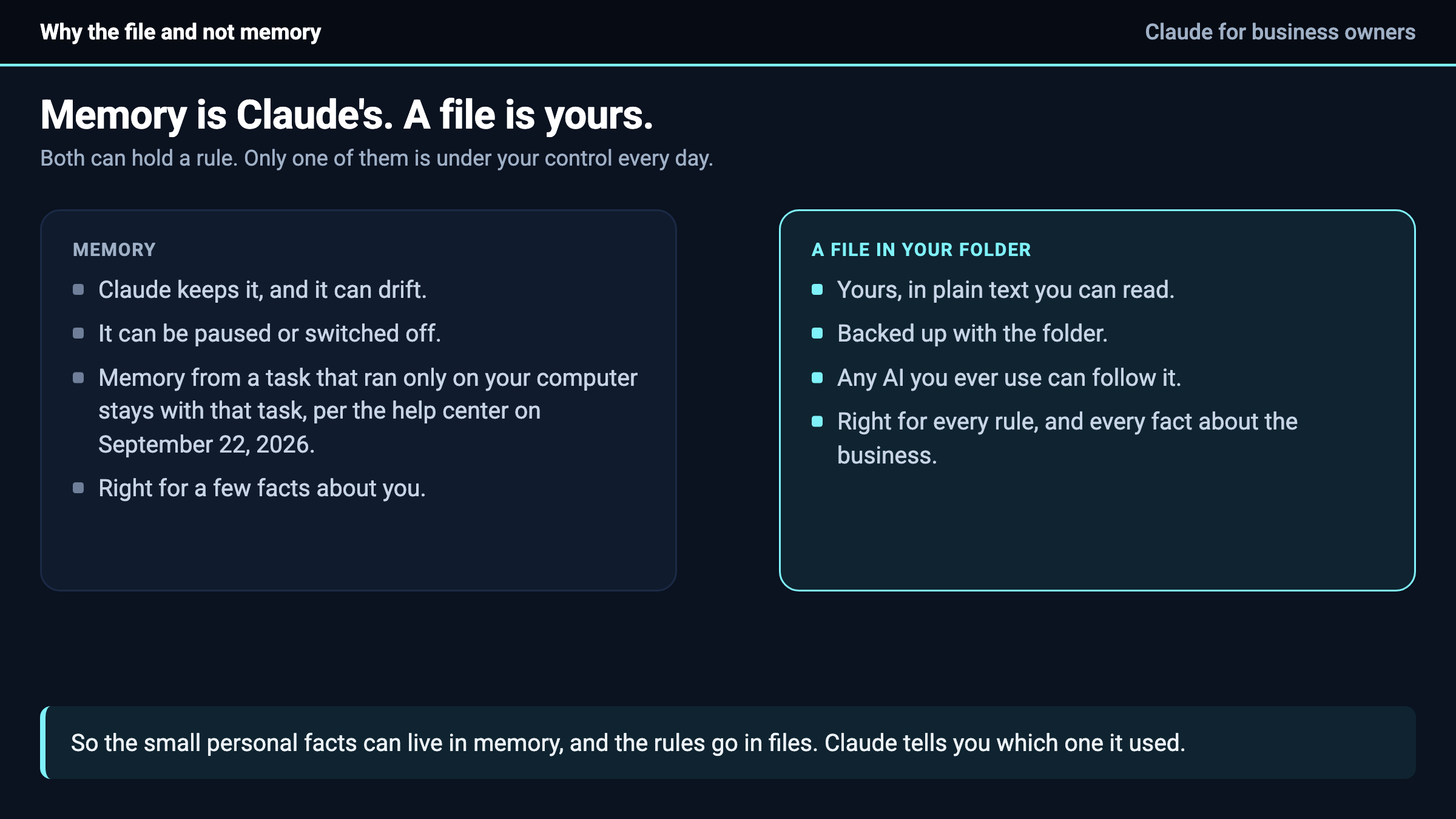
Memory is Claude’s. It can drift, it can be paused, and as of September 22, 2026 Anthropic’s help center says memory from a task that ran only on your own computer stays with that task. A rule in a file is yours. You can read it, back it up, and hand it to any AI you ever use. So the small personal facts can live in memory, and the rules go in files.
Try it on the next mistake
The next time Claude gets something wrong, do the loop once. Then start a new session and give it the same job. If the fix held, you just saved yourself every future version of that correction.
If it did not hold, read the rule line Claude wrote. Usually it is a story instead of a rule, or it landed in a file the next session never reads. Fix the line and run the job again.
The next step
The rules file, the save-this-rule prompt, and the map of which file owns what are all in the setup course inside Teach Claude Your Business, where you onboard Claude like a new hire in one sitting and keep everything it builds. It is free to join.

